Text to Speech for Content Creators: Build Audio Stations

Text-to-speech for content creators converts written threads, articles, RSS feeds, and newsletters into continuously narrated audio you can listen to while walking, driving, or cooking. Three steps to start right now:
- Choose a voice and gather your sources. Connect an RSS feed or X account to a platform like Whisprstream, pick a natural-sounding voice with commercial licensing, and confirm it meets your brand tone.
- Format your scripts for pacing. Use punctuation, ellipses, and SSML break tags to control delivery before you generate a single clip. Poor punctuation is the fastest way to get rushed, robotic output.
- Add captions and transcripts at publish time. Section 508 guidance requires synchronized, correctly punctuated captions for pre-recorded media, and the ADA’s effective communication framework lists captioning among the auxiliary aids that make audio accessible.
Continuous audio stations free up your eyes and hands while keeping you informed. That’s the whole value proposition.
Table of Contents
- What does text to speech actually do for creators?
- What features should you prioritize in a TTS platform?
- How do you format scripts so TTS sounds natural?
- U.S. accessibility rules and privacy checkpoints every creator needs
- How to turn RSS, threads, and articles into a continuous audio station
- What should you budget in time and money for TTS workflows?
- Why Whisprstream fits creators building continuous audio stations
- Legal considerations for monetizing content with TTS voices
- Key Takeaways
- Why audio-first workflows are worth building properly
- Ready to build your first audio station with Whisprstream?
- Primary sources and further reading
What does text to speech actually do for creators?
TTS converts written text into spoken audio with adjustable pacing and emotional delivery, making it practical for narration across videos, podcasts, and eLearning. The output isn’t a flat robotic read anymore. Modern platforms let you dial in warmth, urgency, or calm depending on the content type.
The highest-value use cases for creators:
- Daily audio briefings from RSS feeds and X threads, narrated automatically each morning
- Narrated long-reads that turn 3,000-word articles into background listening
- Newsletter-to-podcast conversion, so your email audience can listen instead of read
- eLearning and course narration, where a consistent voice across modules builds trust
- Ad and marketing voiceovers, produced without booking a studio
The real advantage of continuous stations over one-off clips is consistency. Your audience hears the same voice, the same pacing, the same transitions every time. That repetition builds a listening habit in a way that scattered individual clips never do.

What features should you prioritize in a TTS platform?
Not every platform is built for the creator workflow. Here’s what actually matters when you’re evaluating options:
- Natural, expressive voices with commercial licensing. Multi-language support and brand-ready voice models are now standard on leading platforms. Confirm the license covers your monetization model before you publish.
- Pacing and delivery controls. SSML tags or UI sliders for breaks, emphasis, and emotion give you production-level control without a recording booth.
- Multi-source ingestion. RSS, X threads, newsletters, and web article scrapers should all feed into one pipeline with automatic updates.
- Continuous playback and playlisting. Seamless transitions between items are what separate an audio station from a folder of clips.
- Export options. WAV/MP3 downloads, RSS output for podcast apps, embeddable players, and API access cover every distribution channel.
- Integration with your existing stack. Audio editors, DAWs like Adobe Premiere, podcast hosting platforms, and embeddable web players all need to connect without friction.
- Scalability and usage limits. Per-minute or per-character billing adds up fast at scale. HD audio export is often a premium tier.
| Feature | Why it matters for creators |
|---|---|
| Expressive voice models | Keeps listeners engaged across long-form content |
| SSML / pacing controls | Prevents rushed delivery on dense or technical text |
| RSS + X thread ingestion | Automates daily station updates without manual copy-paste |
| Continuous playback | Creates a radio-style experience, not a clip library |
| Podcast RSS output | Distributes to Apple Podcasts, Overcast, Pocket Casts automatically |
| Embeddable player | Lets you put audio directly on your site or newsletter |
| Commercial voice license | Covers monetized YouTube, sponsored podcasts, and paid courses |
Pro Tip: Test your chosen voice on a 90-second script that includes a proper noun, a number, and a technical term before committing to a plan. Those three elements expose pronunciation gaps faster than any other test.
How do you format scripts so TTS sounds natural?
Correct punctuation and explicit break cues are your primary controls for pacing. A period tells the engine to pause. A comma creates a shorter breath. An ellipsis stretches the gap. Punctuation, break tags, and phonetic respelling are production controls, not just grammar rules.
Practical techniques:
- Use
<break time="500ms"/>in SSML to insert a half-second pause between sections. - Respell hard terms phonetically in a separate pronunciation dictionary if your platform supports it. “SSML” becomes “S-S-M-L” with hyphens so the engine reads each letter.
- Avoid mixed-language lines. Switching mid-sentence between English and another language confuses most engines and produces unnatural stress patterns.
Before formatting: “The API processes requests asynchronously which means your output may be delayed.”
After formatting: “The API processes requests asynchronously… which means your output may be delayed.”
That ellipsis alone adds a natural thinking pause that makes the sentence easier to follow on audio.
Pro Tip: Generate a 30-second audio card from your formatted script before running the full batch. Short test cards reveal pacing and pronunciation problems in under a minute, saving you from re-generating a 20-minute episode.
U.S. accessibility rules and privacy checkpoints every creator needs
Accessibility isn’t optional if you’re publishing audio content in the U.S. Section 508 guidance specifies that captions must be synchronized, use correct punctuation and grammar, and remain on screen long enough to read. Auto-generated captions are a starting point, but they typically fail on punctuation and line breaks and need human review before you publish pre-recorded media.
The ADA’s effective communication framework requires that people with disabilities receive information that is “as effective as” what others receive. For audio content, that means captions or transcripts aren’t a nice-to-have — they’re the mechanism that makes your content legally accessible. Captioning and real-time captioning are explicitly listed among the auxiliary aids covered by ADA guidance.
On the privacy side, Microsoft’s documentation on TTS data handling makes the operator’s responsibilities clear: you must obtain permissions and licenses for any voice or avatar data you use. Real-time synthesis APIs generally don’t store your input text or audio, but batch and long-audio jobs may store content in cloud storage. Those stored files can be deleted via API, but you need to build that deletion step into your workflow.
Practical checklist for creators:
- Add a transcript wherever you publish audio-only content
- Review auto-captions for punctuation and grammar before publishing
- Secure written permission from any voice talent whose recordings train a custom voice model
- Document your retention policy for any stored synthesis jobs
- Include a disclosure when using synthetic voices in monetized content
How to turn RSS, threads, and articles into a continuous audio station
A repeatable pipeline that runs on a schedule is the fastest path to a continuous station. Here’s the full sequence:
- Ingest sources. Connect your RSS feeds, X accounts, and newsletter URLs to your TTS platform. Whisprstream handles this natively, pulling in new content automatically.
- Curate and trim. Remove duplicate items, cut content that doesn’t fit your station’s focus, and flag anything that needs pronunciation fixes.
- Format scripts for voice. Apply punctuation rules, add SSML break tags at section transitions, and respell any technical terms.
- Select voice and SSML settings. Lock in your voice model, set the baseline speed and tone, and add any per-item overrides for emphasis.
- Stitch transitions and metadata. Add brief transition phrases between items, set titles and timestamps, and confirm the episode order.
- Publish as RSS, embed, or share. Push to your podcast app via RSS, embed the audio player on your site, or share a public station link.
Initial setup for your first station takes a few hours, mostly spent on voice selection and source configuration. Once the pipeline is running, daily curation takes 10–20 minutes.
Pro Tip: Build a reusable script template with your standard intro, transition phrases, and outro already formatted. Paste new content into the middle. You’ll cut per-episode prep time significantly once the template is locked.
What should you budget in time and money for TTS workflows?
Cost and time scale differently depending on how you use the platform. The main drivers:
- Premium voice licensing adds cost but is non-negotiable for monetized content. Standard voices are cheaper; neural or cloned voices cost more per character or minute.
- Per-minute or per-character synthesis billing is the most common model. A solo creator publishing three 10-minute episodes per week will hit a very different usage tier than a team running 50 daily briefings.
- HD audio export is typically a paid upgrade. Use it for final episodes; use standard quality for drafts and tests.
- API access is usually an enterprise or developer tier add-on, relevant if you’re building a custom distribution pipeline.
Three rough scenarios:
- Solo creator: Low volume, one or two stations, standard voices. Setup takes a weekend; ongoing cost stays at an entry-level subscription.
- Small team: Multiple stations, premium voices, regular transcript review. Expect a mid-tier subscription plus time for editorial curation each day.
- Scaled production: High-volume synthesis, custom voice models, API integration. Costs scale with character volume; a dedicated workflow manager saves more time than any other investment.
To keep costs in check: batch your synthesis jobs, reuse script templates, and save HD exports for final published episodes only.
Why Whisprstream fits creators building continuous audio stations
Whisprstream converts X threads, RSS feeds, blogs, newsletters, and web articles into continuous, customizable audio stations. That’s not a feature list — it’s the core product. You connect your sources, set your voice, and get a station that updates automatically.
Key features that align with the creator checklist above:
- Multi-source ingestion: RSS, X accounts, and web articles all feed into one station without manual copy-paste
- Continuous playback: Narration flows from item to item with natural transitions, no awkward gaps
- Podcast RSS output: Subscribe to your station in Overcast, Apple Podcasts, or Pocket Casts directly
- Embeddable player: Drop audio onto your blog or newsletter with a single embed code
- Public and private stations: Share a station link with your audience or keep it for personal use
- Bookmarking and playback controls: Pick up where you left off across devices
The Whisprstream blog covers the full production workflow, including Pedro’s own account of building a daily audio station from X and RSS feeds. Start with the Creator plan if you’re publishing stations for an audience; the Premium plan covers personal and professional listening.
Legal considerations for monetizing content with TTS voices
Commercial use of synthetic voices carries real legal exposure. Three areas to get right before you monetize:
Copyright in source content. Narrating someone else’s article, newsletter, or thread without permission is a copyright issue regardless of the voice used. TTS doesn’t transform the underlying text into a new work. Get explicit permission or limit your stations to your own content, licensed content, or content published under a Creative Commons license that permits audio reproduction.
Commercial voice licenses. Most TTS platforms offer separate tiers for personal and commercial use. Publishing monetized YouTube videos, sponsored podcasts, or paid courses with a personal-tier voice likely violates your terms of service. Check the license scope before you go live.
Synthetic voice disclosure. The FTC’s guidance on deceptive practices applies to AI-generated content. If your audience could reasonably believe they’re hearing a real human voice, a disclosure is the straightforward way to stay on the right side of that line. Some states are also moving toward explicit AI disclosure requirements for commercial content.
Voice cloning and biometric data. If you clone your own voice or a talent’s voice, you’re handling biometric data in some U.S. states. Illinois’ Biometric Information Privacy Act (BIPA) and similar state laws require consent, retention limits, and deletion rights. Map where that voice data flows through your pipeline and document your consent process.
Key Takeaways
Continuous audio stations built on TTS give creators a scalable, accessible, and legally sound way to distribute content across every listening context.
| Point | Details |
|---|---|
| Start with script formatting | Punctuation and SSML break tags control pacing more than voice selection does. |
| Accessibility is a legal requirement | Synchronized captions and transcripts are required under Section 508 and ADA guidance for U.S. publishers. |
| Privacy checkpoints matter at scale | Document consent, retention, and deletion workflows for any custom or cloned voice data. |
| Commercial licensing is non-negotiable | Confirm your TTS plan covers monetized content before publishing sponsored or paid episodes. |
| Whisprstream for continuous stations | Whisprstream connects RSS, X threads, and web articles into auto-updating, embeddable audio stations with podcast RSS output. |
Why audio-first workflows are worth building properly
The gap between “I tried TTS” and “I have a working audio station” usually comes down to one thing: creators treat TTS as a one-off export tool instead of a pipeline. The platforms that work best for continuous stations are the ones that handle ingestion, sequencing, and distribution as a single workflow, not three separate steps stitched together manually.
The other thing most guides underestimate is transcript quality. A transcript isn’t just an accessibility checkbox. It’s your SEO layer, your repurposing asset, and your legal documentation that the content was published in good faith. Creators who invest 10 minutes reviewing auto-captions before publishing end up with a more durable content library than those who skip it.
My recommendation: build one station, run it for two weeks, and measure whether your audience actually listens. The habit either sticks or it doesn’t. If it sticks, you’ll know exactly which parts of the pipeline to invest in next.
Ready to build your first audio station with Whisprstream?
If you’ve been converting text to audio one clip at a time, Whisprstream gives you something fundamentally different: a station that updates itself. Connect an RSS feed or X account, pick a voice, and your content starts narrating automatically. No manual exports, no re-uploading, no stitching clips together in an editor.
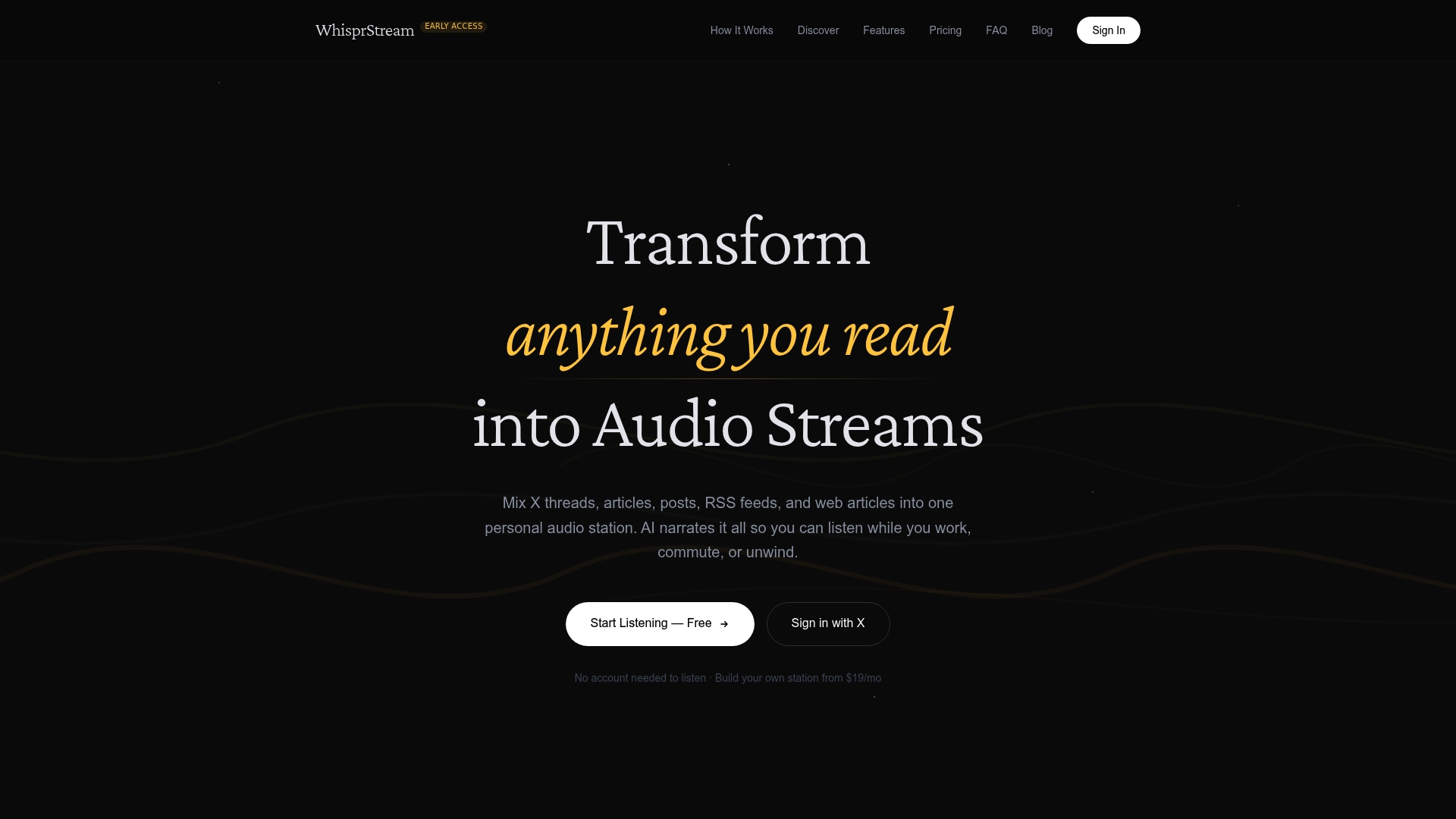
The Daily Digest station is a good example of what a live, auto-updating station looks like in practice. The Build in Public station shows how creator-focused feeds translate into continuous audio. To build your own, head to whisprstream.com, connect your first source, and run a test station. Most creators have their first episode playing within an hour of signing up.
Primary sources and further reading
These are the most authoritative references for accessibility, privacy, and production best practices when building TTS workflows in the U.S.
- Section 508: Captions and Transcripts — The primary U.S. federal guidance on caption synchronization, transcript standards, and the limits of auto-captioning. Start here for legal/accessibility compliance.
- ADA.gov: Effective Communication — Explains the ADA’s auxiliary aids requirement and lists captioning as a covered technology. Essential for any creator publishing audio to a U.S. audience.
- Microsoft Learn: Data, Privacy, and Security for TTS — Covers operator responsibilities for voice data permissions, storage differences between real-time and batch APIs, and deletion workflows. Critical for anyone using custom or cloned voices.
- Adobe Firefly: Text to Speech — Useful reference for understanding expressive voice controls, multi-language support, and commercial licensing in a creator-focused TTS product.
- 7taps Help Center: Voice Quality Tips — Practical production guidance on punctuation, SSML, and short audio card testing. Best resource for improving naturalness at the script level.
- Palmedor AI — Additional resources on TTS and creative AI tools for creators looking to expand their audio production toolkit.