Free Alternatives to Speechify for Commuters and Learners

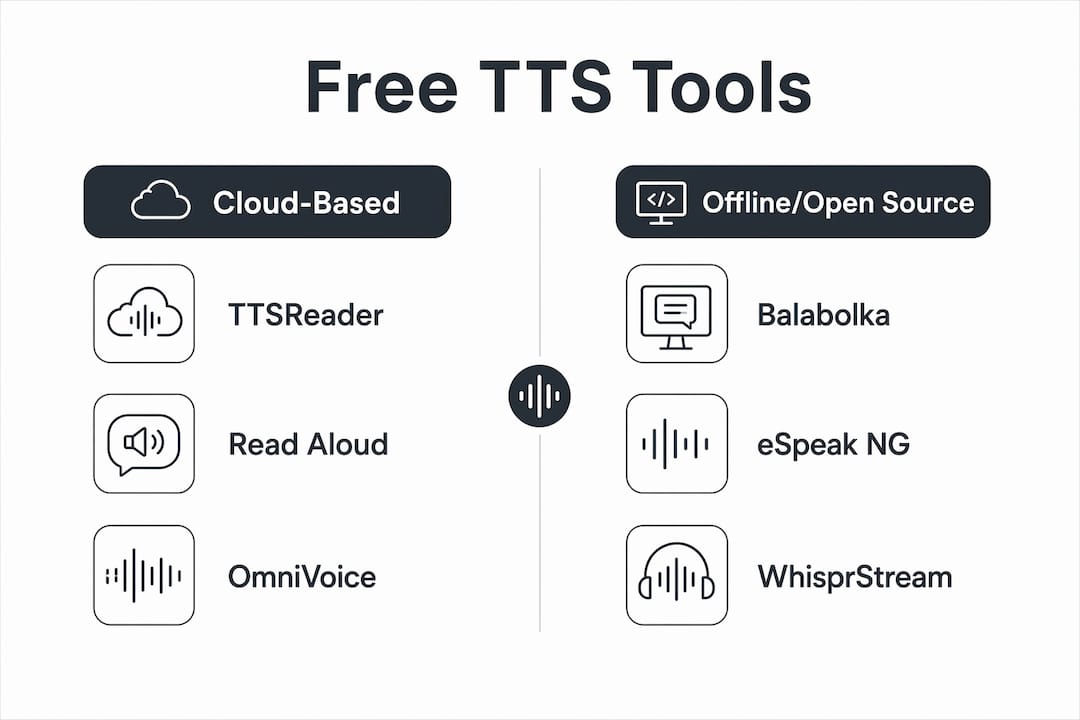
The best free alternatives to Speechify right now are WhisprStream (continuous audio stations from RSS and X threads), Balabolka (offline Windows listening with full privacy), TTSReader (instant paste-and-play in the browser), NaturalReader (web and desktop with strong file support), Microsoft Edge Read Aloud (zero-install browser reading), ElevenReader (high-quality voices with generous free listening), and OmniVoice TTS (Apache 2.0 open-source, self-hosted). Each one solves a different problem.
- WhisprStream — best for turning RSS feeds, newsletters, and X threads into a continuous playlist you can stream like a podcast
- Balabolka — best for offline, privacy-first listening on Windows; your text never leaves your machine
- TTSReader — best for quick, no-account web reading.
- NaturalReader (free/web) — best when you need OCR support for scanned PDFs and broad file compatibility
- Microsoft Edge Read Aloud — best zero-install option; press
Ctrl+Shift+Uon any webpage and it reads immediately - ElevenReader — best when voice naturalness matters most; multiple free hours per month
- OmniVoice TTS — best for developers and open-source projects; supports 646 languages under Apache 2.0 with no usage caps when self-hosted
Pro Tip: If you want to test voice quality before committing to any setup, paste the same paragraph into TTSReader, ElevenReader, and OmniVoice’s browser demo back-to-back. You’ll hear the difference in naturalness within 60 seconds.
Table of Contents
- Which free Speechify alternatives should you actually use?
- How do you pick the right free TTS tool for your situation?
- How to get started with each tool in under five minutes
- What free tiers can’t do — and when you should pay
- Why WhisprStream stands out for continuous listening workflows
- Key Takeaways
- The tools that actually fit how people listen
- WhisprStream turns your feeds into a listening station
- Useful sources, downloads, and licensing notes
Which free Speechify alternatives should you actually use?
| Tool | Best for | Platforms | Voice quality | Offline & privacy | Free-tier limits | Commercial use | Setup ease |
|---|---|---|---|---|---|---|---|
| WhisprStream | Continuous feed listening | Web, iOS, Android | High (AI narration) | Cloud-based | Free public listening; paid for station creation | Personal free; commercial via paid plan | Very easy — paste RSS or connect X |
| Balabolka | Offline privacy, Windows | Windows only | Depends on SAPI voices installed | Fully offline, local | No caps | Free for personal use | Easy — install + select voice |
| TTSReader | Quick web reading | Web (any browser) | Moderate | Cloud-based | No sign-up required | Personal use | Instant — paste and play |
| NaturalReader (free) | Scanned PDFs, OCR | Web, Windows, macOS | Good | Cloud-based | Limited free tier | Personal only on free tier | Easy |
| Microsoft Edge Read Aloud | Zero-install browser reading | Windows, macOS (Edge) | Good (neural voices) | Local processing | No caps | Personal use | Zero setup |
| ElevenReader | Voice naturalness, heavy readers | Web, iOS, Android | Excellent | Cloud-based | Multiple free hours/month | Personal on free tier | Easy — sign up required |
| OmniVoice TTS | Open-source / dev projects | Web demo; self-hosted | Good to very good | Self-hosted = fully private | No caps when self-hosted | Apache 2.0 — commercial OK | Moderate (self-hosting needs infra) |
A few things worth calling out specifically:
- Privacy leaders: Balabolka and Microsoft Edge Read Aloud process text locally. Browser-based cloud tools like TTSReader and ElevenReader send your text to remote servers, which matters if you’re reading sensitive documents.
- Open-source shift in 2026: OmniVoice’s Apache 2.0 license removes per-character fees entirely for self-hosted deployments, which is why open-source TTS models are gaining traction for long-term content projects this year.
- File format winners: NaturalReader handles scanned PDFs through OCR better than most free tools, though its free tier has tighter limits than some competitors.
Pro Tip: If you’re on Windows and want zero cloud exposure, install Balabolka and add the eSpeak NG voices (open-source, 100+ languages) for broader language support without any subscription.

How do you pick the right free TTS tool for your situation?
Start with these four questions before you download anything:
- What’s your primary device? Balabolka is Windows-only. ElevenReader and WhisprStream work across web, iOS, and Android. OmniVoice self-hosting requires a server or local machine with some technical setup.
- Do you need offline access? If you’re on a plane or in a restricted network, Balabolka is the only strong free option. Cloud tools like TTSReader and ElevenReader require an internet connection.
- What file types do you read? For web articles and RSS feeds, WhisprStream and TTSReader are the fastest. For PDFs and Word docs, NaturalReader’s OCR support is hard to beat on the free tier. For EPUBs, ElevenReader handles them well.
- Are you creating content for distribution? Free tiers from cloud providers typically restrict commercial use. OmniVoice under Apache 2.0 is the cleanest option for commercial projects when self-hosted.
Understanding character quotas in practice: Some free cloud TTS services cap usage at 5,000 characters per day without an account. A typical 1,000-word article runs roughly 5,500–6,000 characters, so a single long article can hit a daily cap. If you listen to two or three articles daily, look for tools with monthly (not daily) limits, or go with a no-cap option like Balabolka or TTSReader.
For long-form listening workflows, check out listening to newsletters and long-form writing for practical advice on combining tools.
Pro Tip: Pair OmniVoice for bulk audio exports with WhisprStream for continuous playlist listening. OmniVoice handles the heavy batch processing; WhisprStream keeps your daily feeds organized and streaming automatically.
How to get started with each tool in under five minutes
WhisprStream
- Go to whisprstream.com and create a free account.
- Paste an RSS feed URL or connect your X account.
- WhisprStream assembles a station and starts narrating automatically. Public stations are free to listen to immediately.
OmniVoice TTS
- Visit the OmniVoice browser demo and paste any text to test voice quality.
- For self-hosting, clone the repo, install dependencies, and run the model locally. The Apache 2.0 license covers commercial use.
TTSReader / Read Aloud
- Open your browser, go to TTSReader or install the Read Aloud extension, paste text or navigate to a webpage, and press play. No account needed.
Balabolka
- Download and install Balabolka (free, Windows).
- Open a document (TXT, DOCX, PDF, EPUB supported).
- Select a SAPI voice, adjust speed, then use File → Save as Audio to export MP3 or WAV.
ElevenReader
- Sign up at ElevenReader (email required).
- Upload a PDF or EPUB, or paste a URL.
- Select a voice and start listening. Free hours reset monthly.
Microsoft Edge Read Aloud
- Open any webpage in Edge, press
Ctrl+Shift+U, and the built-in neural voice starts reading. Zero install, zero account.
Pro Tip: For a detailed walkthrough on turning any RSS feed into a personal podcast-style station, the guide on RSS feeds as personal podcasts covers every step.
What free tiers can’t do — and when you should pay
Free tiers cover most casual listening needs, but they have real ceilings:
- Character and time caps: Daily limits (like 5,000 characters/day on some platforms) can block you mid-article. Monthly caps are more forgiving but still limit heavy users.
- Voice fidelity: Free voices are often lower-quality neural models. The best expressive voices, including cloned or custom voices, sit behind paid tiers on every major cloud platform.
- No commercial rights: Nearly every free cloud TTS tier restricts commercial distribution. If you’re producing audio content for sale, a podcast with sponsors, or client deliverables, you need a paid plan or an Apache 2.0 tool like OmniVoice.
- No batch export or API access: Bulk audio generation and API calls are paid features across the board.
- Limited mobile apps: Several free tools are web-only; dedicated mobile apps with background playback usually require a subscription.
Upgrade when you hit any of these triggers: you need high-fidelity voice cloning, you’re distributing audio commercially, you require guaranteed uptime, or you’re exporting more than a few files per week.
Pro Tip: Estimate your monthly character use before upgrading. One hour of narrated audio corresponds to a large number of characters. If you listen two hours a day, you’ll need a plan that supports around 6–7 million characters per month, which most free tiers don’t cover.
Why WhisprStream stands out for continuous listening workflows
Most free TTS tools are built for one-off reads: paste text, press play, done. WhisprStream is built differently. It treats your content sources as a station, not a clipboard.
Key features that matter for sustained listening:
- Multi-source ingestion: Connect X accounts, paste RSS feeds, add blogs and newsletters, and WhisprStream pulls them into a single, continuously updated station.
- AI narration optimized for mixed formats: Threads, articles, and short posts flow together without awkward pauses or formatting artifacts.
- Embeddable players and podcast RSS output: Share a public station or push it to any podcast app. Your curated feed becomes a real audio stream.
- Playback controls across devices: Pick up where you left off on mobile, desktop, or web.
For commuters, the station model means your morning reading queue is already narrated and queued before you leave the house. For researchers, you can stack a week’s worth of articles into one station and listen through them the way you’d binge a podcast series. For a deeper look at how this workflow compares to one-off TTS, see what an AI audio station actually is.
Free public listening is available with no payment required. Paid plans unlock station creation, premium voices, HD audio, higher usage limits, and API access.
WhisprStream turns the content you already follow into a continuous audio experience — no manual copying, no one-clip-at-a-time workflow, just your feeds narrated and ready to stream.
Pro Tip: Browse public stations to hear live examples of AI-narrated feeds before you create your own.
Key Takeaways
The strongest free TTS setup for most readers combines one no-cap browser tool for quick reads with one continuous-listening platform for daily feeds.
| Point | Details |
|---|---|
| Match tool to use case | Use Read Aloud or TTSReader for instant web reading; Balabolka for offline privacy; ElevenReader for voice quality. |
| Open-source = no caps | OmniVoice TTS (Apache 2.0) has no usage limits when self-hosted, making it the best option for commercial or bulk projects. |
| Free tiers have real limits | Some services cap free use at 5,000 characters per day, which a single long article can exhaust. |
| Combine tools strategically | Pair OmniVoice for batch exports with WhisprStream for continuous playlist listening across RSS and X feeds. |
| WhisprStream for feed listeners | WhisprStream turns RSS feeds, newsletters, and X threads into auto-updating audio stations you can stream like a podcast. |
The tools that actually fit how people listen
The conventional wisdom on free TTS is “just pick the one with the best voice.” That framing misses the real problem. Voice quality matters less than workflow fit. A stunning neural voice you have to manually paste text into every single time will get abandoned within a week. A decent voice that auto-updates your morning reading queue and plays continuously while you commute will stick.
That’s why privacy and open-source options shaped this shortlist as much as voice scores did. Balabolka’s offline processing isn’t just a privacy checkbox; it’s the only real option for anyone reading sensitive work documents or operating in a restricted network. OmniVoice’s Apache 2.0 license isn’t just a legal detail; it’s the difference between building a sustainable content workflow and hitting a surprise paywall six months in.
The tools that last are the ones that disappear into your routine. WhisprStream’s station model does exactly that: your feeds narrate themselves, your queue updates overnight, and you listen the same way you’d listen to a podcast. That’s the gap most free TTS tools still haven’t closed.
WhisprStream turns your feeds into a listening station
If you’ve been copying and pasting articles into a TTS tool one at a time, there’s a faster way. WhisprStream connects directly to your RSS feeds, X threads, newsletters, and blogs, then narrates them as a continuous, auto-updating audio station.
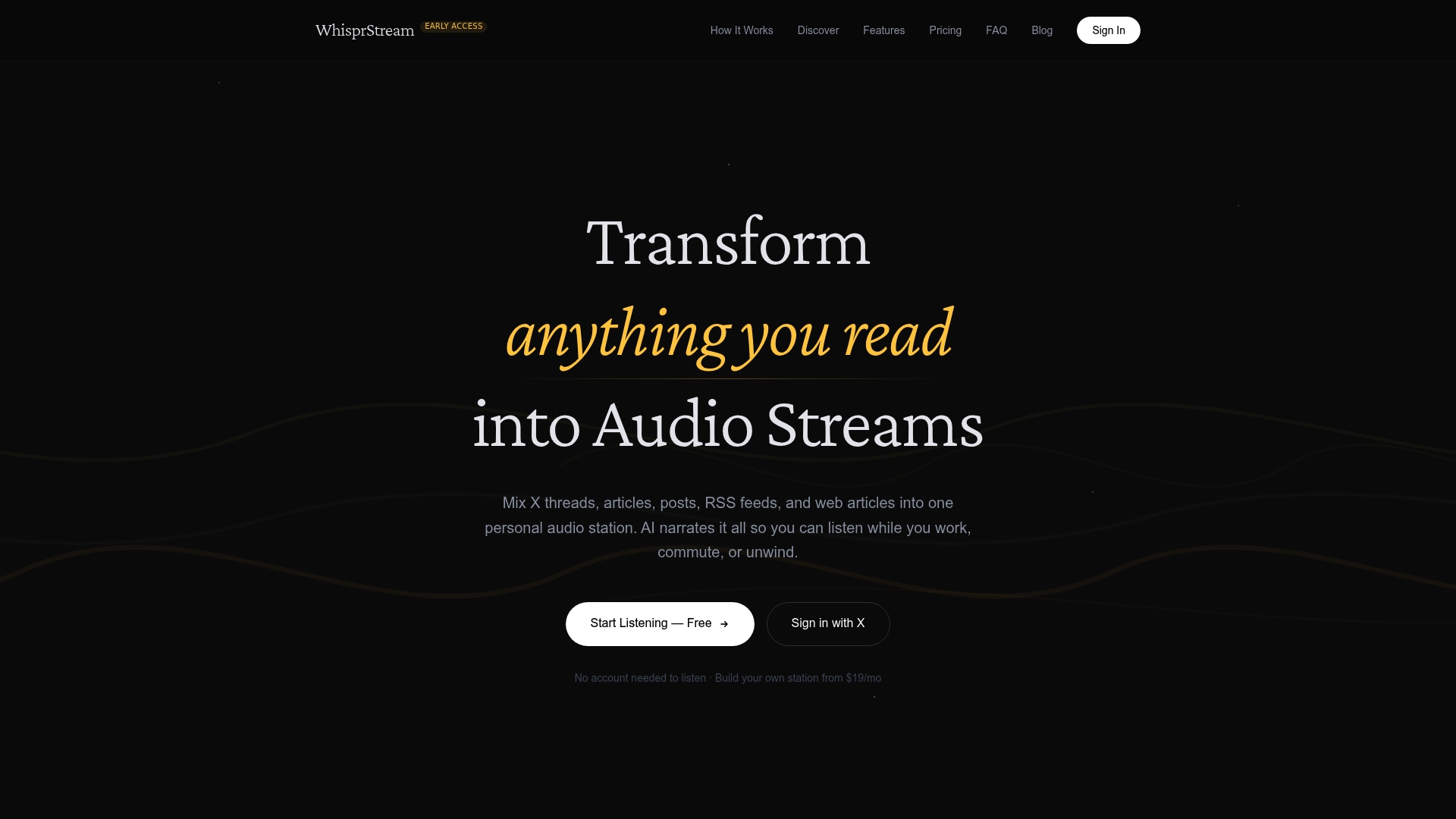
Free public listening requires no payment. You can browse live example stations right now to hear the narration quality before signing up. When you’re ready to build your own station, paid plans cover station creation, premium voices, HD audio, and API access. Head to whisprstream.com to start your first station or listen to a public feed immediately.
Useful sources, downloads, and licensing notes
- OmniVoice TTS demo and repo — Try the browser demo before self-hosting; the repo covers model setup and Apache 2.0 licensing details for commercial projects.
- Read Aloud / TTSReader — No-account browser reading; good starting point for quick web TTS.
- TTS.ai free tier details — Documents free-tier character limits (5,000/day without account, 10,000/month with account) across multiple open-source models including Kokoro and Piper.
- PCMag: best TTS tools — Independent reviews of Balabolka and Windows Narrator; useful for comparing offline desktop options.
- Accessible audio platforms compared — Industry analysis covering licensing and accessibility features across major TTS platforms.
License reminder: OmniVoice TTS is Apache 2.0, meaning free commercial use when self-hosted. Most free cloud TTS tiers (ElevenReader, NaturalReader, TTSReader) restrict commercial distribution on their free plans; check each provider’s terms before using generated audio in paid or sponsored content. Windows Narrator and Balabolka are free for personal use with no commercial restrictions stated for the audio output.