Integrated Audio for Commuting, Research, and Accessibility

Integrated audio, in the context of AI text-to-audio platforms, means a system that ingests your content feeds, converts them to natural-sounding narration, and delivers continuous, personalized playback across every device you use. Whisprstream is the recommended solution: it handles multi-source ingestion from RSS, X/Threads, newsletters, and blogs; offers premium AI voices; plays content without awkward gaps between pieces; and exports to podcast apps or embeds directly on your site. Whether you’re commuting, doing deep research, or need hands-free access to information, this is the category of tool built for you.
Why Whisprstream stands out at a glance:
- Multi-source ingestion: RSS feeds, X threads, newsletters, individual articles, and blog posts
- Natural-sounding AI narration with premium voice options and HD audio
- Continuous playback with smooth transitions between content types
- Embeddable audio players, podcast RSS export, and wearable support (including Meta Ray-Ban Display Glasses)
- Subscription tiers with public listening available and paid creator features for station builders
Table of Contents
- What does “integrated audio” mean for AI text-to-audio platforms?
- How does integrated audio work inside these platforms?
- How do you choose the right integrated audio platform?
- How to set up your first audio listening station
- What are the privacy and copyright rules for AI-narrated audio?
- Why Whisprstream is the recommended platform for this use case
- Key Takeaways
- The case for treating your audio station like infrastructure
- Try Whisprstream and hear the difference yourself
- Useful sources and further reading
What does “integrated audio” mean for AI text-to-audio platforms?
The phrase “integrated audio” gets used in several industries. In automotive, it refers to OEM audio upgrades that add aftermarket amplifiers while preserving the factory head unit. In home audio, it describes multi-room streaming amplifiers that power multiple speaker zones from one central unit. In AV consulting, it means designing compatible systems for business communication outcomes.
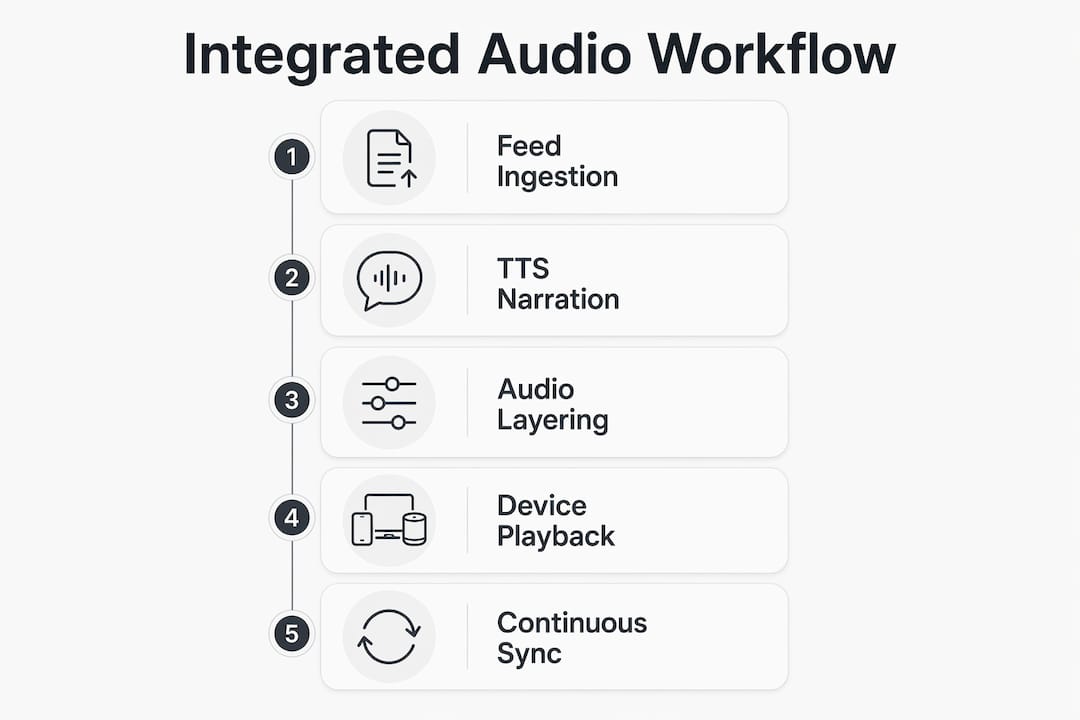
For AI text-to-audio platforms, the definition is more specific. Integrated audio means a single, connected pipeline that:
- Ingests content from multiple sources: RSS feeds, X/Threads accounts, newsletters, blogs, and individual URLs
- Parses and narrates that content using text-to-speech (TTS) AI, producing natural, continuous audio
- Playlists and queues pieces automatically so you never hit a dead end mid-listen
- Delivers to your devices via a mobile app, a podcast app (through RSS export), an embeddable web player, or wearables
- Personalizes the experience through voice selection, speech rate, accent, and content filters
The key word is “integrated.” You’re not converting one article at a time. You’re building a living audio station that updates as your feeds update, plays continuously, and follows you across devices.
How does integrated audio work inside these platforms?
The architecture behind a platform like Whisprstream has six distinct layers, each one affecting what you actually hear.

| Layer | What happens | User-visible effect |
|---|---|---|
| Feed ingestion | Platform polls RSS, social APIs, or webhooks for new content | Fresh content appears in your station automatically |
| Content parsing | Text is cleaned, metadata extracted, paywalled items flagged | Narration skips broken or restricted items |
| TTS narration | AI voice model converts text to speech, applying SSML pacing | Natural-sounding audio with proper pauses and emphasis |
| Playlist engine | Items queued by recency, source, or custom rules | Continuous playback with smooth cross-content transitions |
| Caching and offline | Audio files pre-downloaded to device | Playback works without a live connection |
| Delivery endpoints | Mobile app, podcast RSS, embed player, wearable sync | Listen anywhere, on any device |
The end-to-end integrated design mindset matters here. When every layer is optimized for the others, perceived audio quality improves and listener engagement stays higher. Stitching together separate tools for ingestion, narration, and playback introduces gaps, inconsistent pacing, and sync failures.
Device support is where this becomes practical. Whisprstream lets you listen on Meta Ray-Ban Display Glasses, add your station to any podcast app via RSS export, or embed an audio player directly on your blog or site. That cross-device reach is what makes the “integrated” label accurate.
How do you choose the right integrated audio platform?
Treat this as a strategic investment in your information workflow, not a one-off app download. Use this checklist when evaluating any provider.
| Evaluation area | What to look for | Red flags |
|---|---|---|
| Integrations | RSS, X/Threads, newsletters, APIs, individual URLs | Only supports one or two source types |
| Narration quality | Multiple voices, premium/HD options, natural pacing | Single robotic voice, no SSML support |
| Continuous playback | Auto-queuing, cross-content transitions, no dead ends | Manual play required between items |
| Offline support | Pre-download, background caching | Requires live connection at all times |
| Device coverage | Mobile app, podcast apps, embed player, wearables | Web-only playback |
| Developer access | API, RSS export, embeddable player | No API, no export options |
| Accessibility | Screen reader compatibility, adjustable speech rate | No accessibility documentation |
| Privacy and copyright | Clear data retention policy, content-use terms | Opaque terms about derivative works |
| Pricing and trial | Free tier or demo, clear upgrade path | No trial, no demo, no public pricing |
Concrete questions to ask any vendor:
- How long does onboarding take from sign-up to first playback?
- What are the feed limits per plan tier?
- Who owns the narrated audio files your station generates?
- Are premium voices licensed for commercial use or personal only?
- What happens to my content data if I cancel?
Watch for platforms with no continuous playback, no API, and no trial. Those three gaps together usually mean the product is not production-ready for serious use.
How to set up your first audio listening station
Connect your sources
Start by linking the feeds you already read. Paste RSS URLs, connect your X account, or drop in newsletter links. Whisprstream accepts web articles, threads, and RSS in the same station, so you don’t need to separate them by type. Pick three to five sources for your first run; you can always add more once you know how the narration sounds.
Choose your voice and playback settings
Select a voice that matches how you want to listen. If you’re commuting, a slightly faster speech rate (1.1x–1.25x) keeps pace with your attention. For research or accessibility use, slower and more deliberate narration works better. Set your playlist rules: newest first, or by source priority if one feed matters more than others.
Test offline sync and continuous playback
Before you rely on the station during a commute, trigger a manual sync and let the app pre-download a few episodes. Confirm that playback continues automatically from one piece to the next without requiring you to tap. This is the behavior that separates a true integrated audio station from a basic TTS reader.
Embed or share your station
Once your station sounds right, you can embed the audio player on your site or share a public link so others can listen too. Whisprstream also generates a podcast RSS feed, so your audience can subscribe in Apple Podcasts, Spotify, or any other podcast app.
Pro Tip: Before going live, preflight your feeds by scanning for paywalled or subscription-gated items. Narrating a paywall error message mid-station kills the listening experience. Use short audio markers or brief source labels between content pieces so listeners always know which feed they’re hearing.
What are the privacy and copyright rules for AI-narrated audio?
U.S. copyright law applies the moment you convert someone else’s published text into audio. If you’re narrating your own content, you’re clear. If you’re narrating third-party articles, newsletters, or threads, you need either explicit permission, a license from the publisher, or a defensible fair-use argument. Fair use is fact-specific; it depends on purpose, nature, amount used, and market effect. Paywalled or subscription content carries the highest risk: converting it to audio almost certainly exceeds any fair-use argument.
Privacy and data checklist for your feeds:
- Confirm the platform’s data retention policy: how long is your raw content stored?
- Check whether the vendor logs full article text or only trimmed metadata after narration
- Verify that webhook connections and feed credentials are stored with encryption
- Review the vendor’s terms for “derivative works”: does narrated audio belong to you or them?
- Use content filters to exclude paywalled items before they reach the narration engine
This article is general information, not legal advice. Confirm your specific content-rights situation with a qualified intellectual property attorney before publishing AI-narrated audio of third-party text.
Why Whisprstream is the recommended platform for this use case
Whisprstream converts X threads, articles, and RSS feeds into AI-narrated audio stations with a feature set that covers every dimension serious listeners need.
- Multi-source ingestion: RSS, X/Threads, newsletters, blogs, and individual posts in one station
- Premium AI voices: natural-sounding narration with HD audio on paid tiers, multiple voice and accent options
- Continuous playlisting: automatic queuing with smooth transitions, no manual taps between pieces
- Offline playback: background downloading so your station works on the subway or a flight
- Embeddable players: drop an audio player onto any site with a single code snippet
- Podcast RSS export: add your station to Apple Podcasts, Spotify, or any podcast app
- Wearable support: documented integration with Meta Ray-Ban Display Glasses for truly hands-free listening
- API access: developer-friendly for teams building custom workflows or embedding audio at scale
- Accessibility: adjustable speech rate and voice options that support visually impaired users and hands-free scenarios
Pricing follows a subscription model with public listening available at no cost. Paid tiers (Premium and Creator) unlock premium voices, HD audio, higher usage limits, and API access. A demo is available without signing up: you can listen to public stations like the Daily Digest or Build In Public before committing to a plan.
Whisprstream is built for people who want their information to come to them, not the other way around. If you’re still reading feeds in a browser, you’re spending attention you could be spending on the actual ideas.
Key Takeaways
Integrated audio platforms convert your text feeds into continuous, personalized AI-narrated streams you can listen to on any device, and Whisprstream is the most complete solution for this use case available today.
| Point | Details |
|---|---|
| What integrated audio means | A connected pipeline: feed ingestion, TTS narration, continuous playlisting, and multi-device delivery. |
| Top evaluation criteria | Prioritize multi-source integrations, continuous playback, offline support, and clear content-ownership terms. |
| Copyright and privacy | Narrating third-party text requires permission or a fair-use basis; always check vendor data-retention terms. |
| Setup starting point | Connect three to five feeds, choose a voice, test offline sync, then embed or share your station. |
| Whisprstream recommendation | Supports RSS, X/Threads, newsletters, embeddable players, podcast RSS export, and Meta Ray-Ban wearables. |
The case for treating your audio station like infrastructure
Most people who try text-to-audio tools start with a one-off converter: paste an article, get an MP3, move on. That approach works once. It doesn’t build a habit, and it doesn’t scale when you’re tracking twenty feeds across newsletters, X accounts, and blogs.
The shift worth making is treating your audio station the way you treat your podcast app: something that updates overnight, queues automatically, and is ready when you are. The platforms that make this possible are the ones with genuine continuous playback and real multi-source ingestion, not just a TTS button on a webpage.
Whisprstream is positioned at exactly this intersection. The AI audio station model it uses outperforms ad hoc TTS because the whole pipeline is designed together, not assembled from parts. That’s what makes the listening experience feel natural rather than mechanical.
The accessibility angle is also underrated. For users with visual impairments, or anyone who simply can’t look at a screen for hours, a well-configured audio station isn’t a convenience. It’s the primary way they consume written information. Platforms that treat accessibility as a checkbox miss this entirely.
Try Whisprstream and hear the difference yourself
Your feeds are already out there. Whisprstream turns them into a station you can actually listen to, starting with the first sign-up. Public listening is free, so you can hear how the narration sounds on real content before you create anything. When you’re ready to build, the onboarding path is short: sign up, connect one feed, pick a voice, and test playback. Use a short public RSS for your first run so you hear a complete cycle quickly.
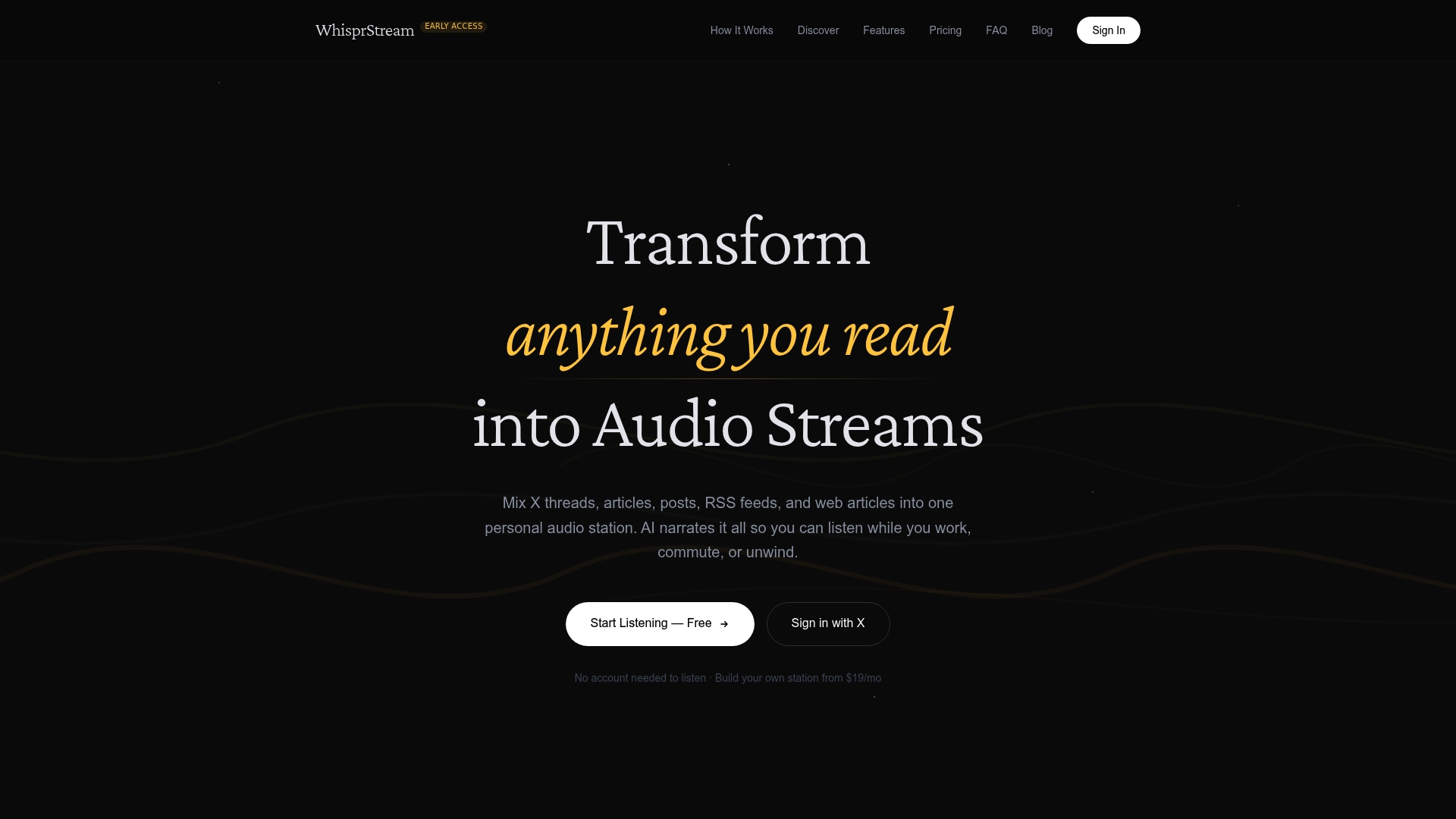
Premium and Creator plans add HD voices, higher feed limits, embeddable players, and API access for teams who want to go further. If you’re building a branded audio station for a publication or community, the Creator tier covers everything you need. Head to Whisprstream to start your free listening session and create your first station today.
Useful sources and further reading
| Source | Why it matters |
|---|---|
| Whisprstream: X threads, articles & RSS to AI audio | Primary product page covering features, pricing tiers, and demo access |
| Listen on Meta Ray-Ban Display Glasses | Documents wearable integration as a real device use case |
| Embed an AI Audio Player on Your Site | Step-by-step guide for embedding players and sharing stations |
| What Is an AI Audio Station? | Explains why integrated stations outperform one-off TTS tools |
| The Future of Audio: Integrated Systems | Audio engineering perspective on why end-to-end integration improves listening quality |
| Why Your Company Needs Integrated AV Solutions | Strategic framing for treating audio integration as a planned investment |
| Listen to Newsletters and Long-Form Writing | Audience-focused guide for accessibility and long-form content listening |