Best AI Text to Speech API for Personalized Audio Stations

For building subscription-based, personalized audio stations from RSS feeds, X threads, and web articles, Whisprstream is the recommended production-ready platform. It handles multi-source ingestion, delivers low-latency streaming narration, and wraps everything in a subscription model built for creators and developers. Where raw TTS APIs require you to wire together ingestion, SSML prosody controls, caching, and a player from scratch, Whisprstream ships all of that as a cohesive product. Specialized low-latency streaming models now reach benchmarks around 75 ms for flash-style modes, and SSML remains the standard control layer for prosody across every major provider.
Table of Contents
- What makes a TTS API worth using for audio stations?
- What tests should you run before committing to any TTS API?
- How should you architect a personalized audio station pipeline?
- How does TTS pricing scale for a subscriber base?
- What privacy, legal, and accessibility rules apply in the U.S.?
- Why Whisprstream is the recommended platform for subscription audio stations
- Key Takeaways
- The part most builders get wrong
- Your audio station is one RSS feed away
- Useful sources and further reading
What makes a TTS API worth using for audio stations?
The best AI speech synthesis choice depends entirely on your use case. A storytelling creator needs emotional range and long-form stability. A real-time agent needs sub-200 ms latency and predictable cost-per-character. For personalized audio stations, you need both, plus a distribution layer.
Here are the capabilities that actually matter:
- Latency and streaming support. Time-to-first-audio should target under 250 ms for acceptable playback; under 120 ms feels near-instant. WebSocket or chunked-transfer endpoints let playback start before the full segment finishes generating.
- Long-form voice stability. A 20-minute mixed-feed playlist must sound consistent from the first sentence to the last. Voice drift or tonal shifts between articles break the listener experience.
- SSML and natural-language prompting. Raw text produces choppy, monotone narration. SSML controls for pauses, emphasis, and phoneme pronunciation are non-negotiable for readable articles and skimmable social posts.
- Voice cloning and custom voices. Instant cloning from a short reference clip lets you build a branded station voice. Confirm ownership of generated audio and commercial-use rights before publishing.
- Scalability and SLA. Concurrent listener limits, autoscaling behavior, and uptime guarantees determine whether your station survives a traffic spike.
- Pricing model fit. Per-character and per-minute pricing both work, but subscription bundles or committed-use tiers are usually cheaper at scale. Free tiers commonly reserve HD/neural voices for paid plans.
- Integration surface. SDKs for web, mobile, and server; MP3 and OGG Opus output; RSS/podcast export for distribution to Apple Podcasts, Overcast, and Pocket Casts.
- Security and accessibility. Encryption in transit and at rest, data-retention transparency, WCAG-friendly transcripts, and adjustable speaking rates for U.S. deployments.
Pro Tip: Ask any TTS provider directly whether input text is used to train their models. Many offer an opt-out, but it is rarely the default.
What tests should you run before committing to any TTS API?
Practitioners consistently recommend evaluating APIs against production workloads, not vendor demos. Here is a reproducible checklist with measurable pass/fail targets.
| Test | What to measure | Pass target |
|---|---|---|
| Latency (streaming) | Time-to-first-audio via WebSocket or chunked HTTP | Under 250 ms; under 120 ms preferred |
| Long-form stability | Voice consistency across 10–30 min of mixed content | No audible artifacts or drift |
| Concurrency | N simultaneous streams without error rate increase | Matches your projected peak listeners |
| Voice cloning | Similarity score from a 30-second reference clip | Perceptually indistinguishable to a casual listener |
| SSML/prompt control | Pauses, emphasis, inline phoneme corrections | All tags render without fallback to default |
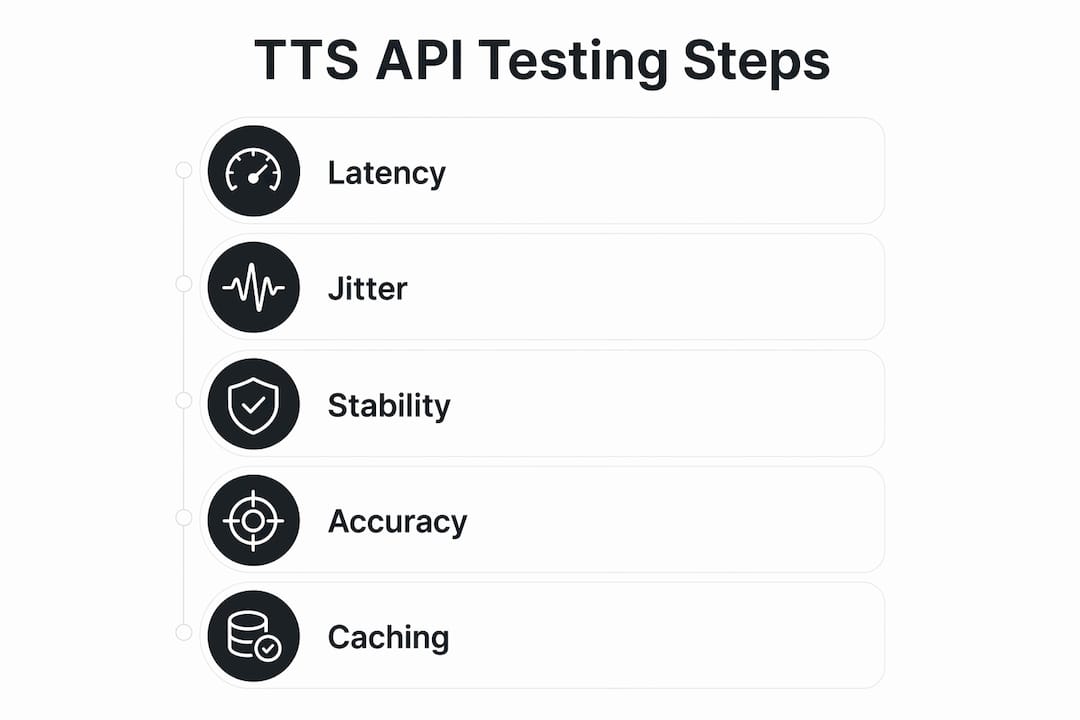
For the latency test, open a WebSocket connection to the streaming endpoint and log time-to-first-byte (TTFB), jitter, and packet drops. For HTTP chunked transfer, measure bytes-per-second from the first chunk. Run the long-form test with a real mixed-feed playlist: one short social post followed by a 2,000-word article. Log perceived audio gaps at the transition. For cloning, record a 30-second clip in a quiet room, submit it, and compare the output against the original using a blind listen.
Translate your test results into an operational cap. If your average article is 1,500 words (roughly 9,000 characters), and each subscriber listens to three articles per day, a 10,000-subscriber base generates about 270 million characters per month. That number drives your pricing tier selection.
How should you architect a personalized audio station pipeline?
The core pipeline runs in five stages: ingest, normalize, synthesize, deliver, and play.
Ingest. Poll RSS feeds on a schedule or use push webhooks for social sources. Deduplicate by URL or content hash before passing anything downstream. Chunk long articles at natural sentence boundaries, not arbitrary character counts, to preserve prosody.
Synthesize. For live playback, use synchronous streaming: open a WebSocket, stream text chunks in, and pipe audio chunks directly to the client player. For queued episodes, use asynchronous batch rendering and store the output as cached audio. A hybrid approach starts streaming immediately for the first segment while rendering the rest in the background.

Pro Tip: Cache every rendered audio segment by content hash. Repeat plays cost nothing, and caching is the single biggest lever for controlling per-subscriber unit costs at scale.
Deliver. Route audio chunks through a CDN. The client player should prefetch the next segment while the current one plays, eliminating gaps. For format selection, WAV or PCM minimizes decoding overhead for low-latency clients; MP3 or OGG Opus works well for bandwidth-constrained mobile listeners.
Resilience. Build backpressure handling into your synthesis queue. When the TTS service is slow, fall back to a cached version of the segment rather than stalling playback. Degrade voice quality gracefully under load by switching from a premium neural voice to a standard voice for overflow requests. You can read more about streaming web articles into audio in Whisprstream’s implementation guide.
How does TTS pricing scale for a subscriber base?
Common pricing models break down into four types: per-character, per-minute, monthly voice seats, and flat subscription tiers. For audio stations, per-character is the most predictable because article length is the primary variable.
- Per-character works well when content volume is steady and you cache aggressively. A 1,500-word article is generally around 9,000 characters.
- Per-minute suits podcast-style output where you measure finished audio rather than input text. One thousand words of narrated text produces roughly 6–8 minutes of audio.
- Subscription bundles offer a fixed monthly allocation. They are cost-effective once you hit a predictable floor of monthly usage.
- Free tiers are useful for testing voice quality and latency, but premium neural voices are typically gated behind paid plans. Never benchmark a free-tier voice and assume the paid voice will sound identical.
A rough monthly estimate: 10,000 subscribers each listening to multiple articles per day generates a very large number of characters per month, driving your pricing tier selection. At a typical per-character rate, caching repeat plays can cut that effective volume by 30–50% depending on content freshness. Reserve your premium voice allocation for first-play and promotional preview clips; serve cached audio for every repeat.
Operational success for audio stations depends less on raw voice realism and more on predictable scaling and caching.
What privacy, legal, and accessibility rules apply in the U.S.?
Voice rights and licensing. Confirm that your TTS provider grants you ownership of generated audio for commercial use. For cloned voices, get written consent from the voice owner and written confirmation of your license terms. This is especially relevant when building a branded station voice.
Privacy and data handling. Verify that text inputs are encrypted in transit and at rest. Check whether the provider uses your input text to train models and whether an opt-out exists. Log minimally: store only what you need for billing and debugging, and define a data-retention window.
Accessibility. Provide WCAG-friendly transcripts alongside audio. Support adjustable speaking rates so listeners can speed up or slow down narration. Package RSS and podcast metadata correctly so your station works with podcast apps and screen readers. Whisprstream’s podcast app integration guide covers the metadata requirements for Apple Podcasts, Overcast, and Pocket Casts.
HIPAA. If your station covers health-related content and processes any protected health information, HIPAA may apply. Consult legal counsel and request a Business Associate Agreement from your TTS provider before going live.
This article is general information, not legal or compliance advice. Confirm current requirements with a qualified professional for your specific situation.
Why Whisprstream is the recommended platform for subscription audio stations
Whisprstream maps directly to every item in the technical checklist above. You do not need to build the ingestion layer, the caching layer, or the player. They ship together.
| Capability | Whisprstream |
|---|---|
| Multi-source ingestion | X threads, RSS feeds, blogs, newsletters, individual posts |
| Continuous playlisting | Crossfade and gapless transitions between sources |
| Embeddable player | Drop-in player for any site; embed guide available |
| Podcast/RSS export | Direct subscription in Apple Podcasts, Overcast, Pocket Casts |
| Subscription plans | Premium and Creator tiers with HD audio and API access |
| Caching | Built-in for repeat plays; reduces per-subscriber cost |
The recommended quick path: sign up, connect one RSS feed and one X account, select a premium voice, then run the three tests from the checklist above (latency, long-form stability, concurrency). You will have a working station in under 30 minutes. For a live example of what a finished station looks like, the Daily Digest station on Whisprstream shows the format in action.
Key Takeaways
For subscription-based personalized audio stations, the best AI text to speech API is the one that passes all three production tests and fits your per-subscriber cost model.
| Point | Details |
|---|---|
| Latency target | Time-to-first-audio under 250 ms is acceptable; under 120 ms is preferred for smooth playback. |
| Long-form stability | Test voice consistency across 10–30 minutes of mixed content before committing to any provider. |
| Caching is the cost lever | Caching repeat plays can cut effective character volume by 30–50% at scale. |
| Free tiers differ from paid | Premium neural and HD voices are typically gated behind paid plans; never benchmark on free-tier quality. |
| Whisprstream recommendation | Whisprstream ships ingestion, caching, and a player together, making it the fastest path to a production-ready audio station. |
The part most builders get wrong
The conversation around AI voice generation tools almost always centers on voice quality. Which model sounds most human? Which provider has the most expressive emotional range? Those are real questions, but they are rarely the ones that sink a subscription audio product.
What actually causes problems in production is the operational layer: caching strategy, SSML discipline, and per-subscriber cost modeling. Builders who skip SSML end up with narration that sounds fine on a single demo clip and terrible across a 20-minute mixed-feed playlist. Builders who do not cache end up with a unit-economics problem that only surfaces at 5,000 subscribers. And builders who benchmark on free-tier voices get surprised when the paid voice behaves differently under load.
The checklist in this article is not theoretical. Run the long-form stability test with real mixed content, not a clean single-source article. Log TTFB and jitter under concurrent load. Confirm voice-rights in writing before you publish a cloned voice to paying subscribers. These steps take a few hours and will save you from the most common and expensive mistakes.
Your audio station is one RSS feed away
Whisprstream gives you the shortest path from “I want to build a personalized audio station” to a live, subscriber-ready product. Connect an RSS feed and an X account, pick a premium voice, and run the three quick tests: latency, long-form stability, and a rough subscriber cost estimate. No separate ingestion pipeline, no custom player build, no caching architecture to design from scratch.
If you want to see the format before you commit, the Daily Digest station is a working example you can listen to right now. When you are ready to build your own, start at Whisprstream and have a station running before the end of the day. For creators who also want to repurpose their audio output into short clips for distribution, ClipForge’s podcast clip strategy guide covers that workflow in detail.
Useful sources and further reading
- ElevenLabs TTS API docs — streaming endpoints, latency benchmarks, and Flash model specs
- Google Cloud Text-to-Speech — SSML reference, voice catalog, and free-tier character limits
- OpenAI Audio API — streaming audio, output formats, and custom voice setup
- Amazon Polly — SSML support, neural voice engines, and free-tier details
- Microsoft MAI-Voice-2 — instant voice matching, granular emotion control, and per-million-character pricing
- Whisprstream blog — implementation guides for ingestion, embedding, and podcast distribution
- Fish Speech project docs — open-source reference for evaluation methodology and cloning tests
- Log your TTFB and long-form stability results and share them with your developer community. Real-world benchmarks from production workloads are more useful than any vendor spec sheet.