Streaming Text to Speech: Your Guide to Live Audio

What is streaming text to speech, and why does it matter?
Streaming text to speech (TTS) converts written content into audio in real time, letting playback begin before the full text is synthesized. That single difference changes everything. With traditional batch TTS, you wait for the entire audio file to render before hearing a word. With streaming TTS, the first audio chunk arrives with very low latency, making it feel instant.
This matters most when the content keeps coming: a live feed, a social thread, an RSS article that just dropped. Streaming TTS handles that naturally, producing a radio-like continuous audio experience that updates as new text arrives.
Key benefits at a glance:
- Immediate playback without waiting for full synthesis
- Low perceived latency, critical for voice agents and live feeds
- Continuous audio that flows across multiple content pieces
- Multitasking-friendly listening while you commute, cook, or work
- Powers platforms like Google Cloud Text-to-Speech API (380+ voices, 75 languages) and Whisprstream
Table of Contents
- How streaming text to speech actually works under the hood
- Real use cases where streaming TTS changes how you consume content
- Audio quality and output formats: what to choose for streaming
- How pricing works for streaming TTS services in the United States
- Whisprstream turns your feeds into a personal audio station
- Latency and real-time processing: the real challenges
- Integrating a text to speech API with your existing platforms
- Privacy and data security when streaming text to speech
- How popular streaming TTS services compare on key features
- Key Takeaways
- Your text feed deserves a better listening experience
How streaming text to speech actually works under the hood
Two protocols do most of the heavy lifting: chunked HTTP transfer encoding and persistent WebSocket connections.

Chunked HTTP breaks the audio response into small pieces delivered progressively over a standard HTTP connection. Your audio player starts rendering the first chunk while the server is still generating the rest. It’s simple to implement and works well for single-request scenarios.
WebSocket connections go further. Because the connection stays open, WebSocket is preferred for multi-turn, interactive voice agents where repeated connection handshakes would add noticeable lag. No new handshake per request means no latency spikes between turns.
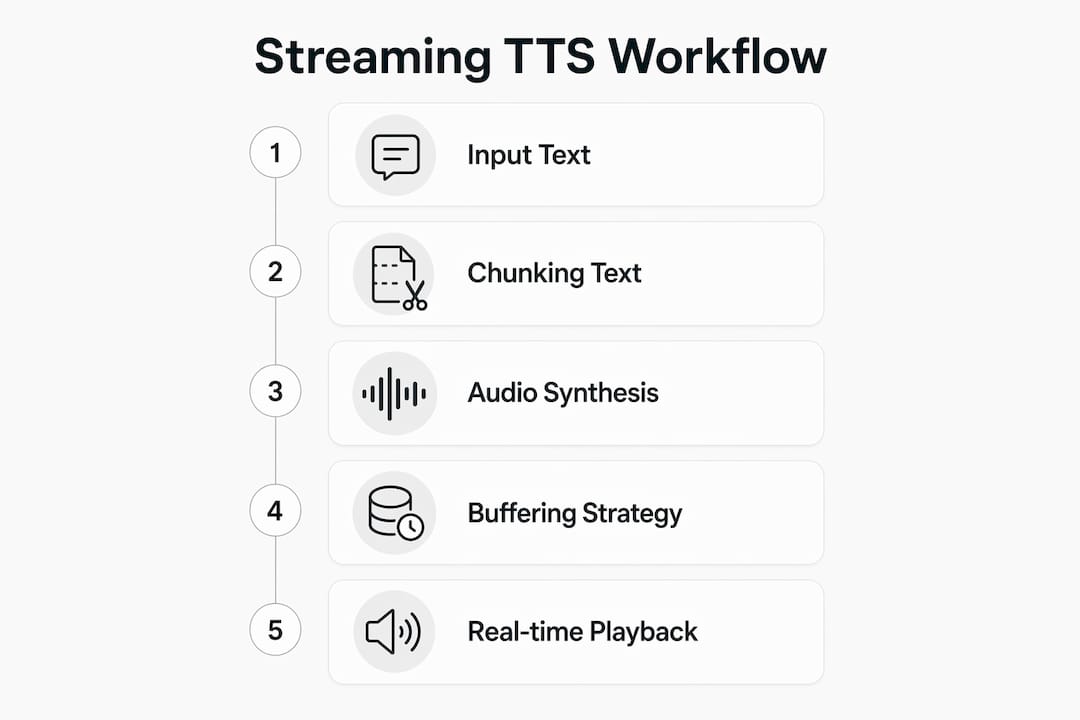
Buffering strategy is the third piece. Sending text word by word creates choppy, unnatural audio because the synthesis engine lacks enough context to predict prosody. Buffering to punctuation boundaries or minimum character counts before triggering synthesis prevents stuttering and produces smoother, more natural-sounding speech. Understanding low-latency audio thread programming helps developers tune these parameters for their specific hardware and network conditions.
Pro Tip: Wait for a sentence-ending punctuation mark or at least 100–150 characters before sending a chunk to the TTS engine. Smaller chunks sound choppy; larger ones add unnecessary delay. That range is the practical sweet spot for most real-time applications.
Real use cases where streaming TTS changes how you consume content
Streaming versus batch TTS is ultimately a choice between responsiveness and maximum fidelity. Streaming wins whenever the user is waiting. Here’s where it shows up most:
- AI voice agents: Customer support bots and smart assistants need sub-200ms responses to feel natural in conversation.
- Personalized audio stations: Platforms like Whisprstream turn web articles into audio you can stream anywhere, mixing RSS feeds, X threads, and newsletters into one continuous listen.
- Accessibility tools: Screen readers and read-aloud features benefit from instant audio onset, reducing friction for users with visual impairments.
- Podcast-style content feeds: Rather than downloading an episode, you get a live audio feed that updates as new posts arrive, closer to a radio station than a podcast app.
- Live notifications and alerts: Real-time audio announcements in apps, dashboards, or smart home devices.
The common thread is that users are doing something else while listening. Streaming TTS fits into your life rather than asking you to stop and wait.
Audio quality and output formats: what to choose for streaming
Streaming TTS trades some peak fidelity for speed, and that’s usually the right call. Batch synthesis targets the highest archivable quality; streaming targets responsiveness. For most listening scenarios, the difference is imperceptible.
Format choice has a direct impact on latency:
- PCM and WAV: Uncompressed, no decoding overhead. PCM and WAV offer faster real-time playback and are the go-to for ultra-low-latency applications. The tradeoff is larger file size.
- MP3: Compressed, smaller bandwidth footprint, but the decoder adds a small processing delay. Fine for general streaming where a few extra milliseconds don’t matter.
- Opus: Designed for internet streaming, low latency, and efficient compression. A strong middle-ground option.
- FLAC: Lossless compression, favored for archiving and high-fidelity production, not real-time streaming.
Pro Tip: For real-time voice agents or live audio feeds, default to PCM or WAV. Switch to MP3 or Opus only when bandwidth is constrained and a slight latency increase is acceptable. Never use FLAC in a streaming pipeline.
How pricing works for streaming TTS services in the United States
Most U.S. cloud TTS providers charge per character of text synthesized, with free tiers that let you test at meaningful scale before paying anything.
- Google Cloud Text-to-Speech offers 1 million free characters per month for standard voices and 4 million free characters for certain voice types, then charges per additional character.
- Pricing scales with voice quality: standard voices cost less per character than premium or neural voices.
- High-volume or real-time applications can accumulate character counts quickly, especially when synthesizing long articles or continuous feeds.
- Some providers offer flat-rate subscription tiers for developers who need predictable monthly costs.
- Voice selection, emotional expression controls, and custom voice features typically sit at higher pricing tiers.
For content creators building personalized audio stations, a subscription platform like Whisprstream often makes more financial sense than metered API usage, since you’re not paying per character for every article in your feed.
Whisprstream turns your feeds into a personal audio station
Whisprstream is built specifically for the use case streaming TTS makes possible: turning the text you already follow into a continuous, personalized audio experience. Connect your X account, paste an RSS feed, or drop in a newsletter URL, and Whisprstream assembles it all into a single station you can listen to like a radio show.
What sets it apart from raw TTS APIs:
- Multi-source integration: X threads, RSS feeds, blog posts, and web articles all feed into one station.
- Natural AI narration: No awkward pauses between pieces. The audio flows from one item to the next without dead air.
- Personalization: You control which sources go in, how they’re ordered, and how the station sounds.
- Shareable public stations: Build a station others can listen to as a personal podcast, or keep it private.
- Cross-device playback: Listen on your phone, desktop, or compatible hardware like Meta Ray-Ban glasses.
Whisprstream handles the TTS infrastructure so you never have to think about chunking, buffering, or format selection. You just listen.
Latency and real-time processing: the real challenges
Low latency in streaming TTS isn’t just about fast servers. Several factors compound to create the total delay a user perceives. Network round-trip time between client and server adds to synthesis time. Text preprocessing, including normalization of numbers, abbreviations, and punctuation, happens before synthesis begins and adds a small but real delay. Model size matters too: larger, higher-quality neural models take longer to generate each chunk than lighter, latency-optimized models.
The practical solution is to pick the right model for the job. A flash-optimized model with latency in the 75–100ms range is the right call for a voice agent. A higher-fidelity model is fine for a pre-rendered audio station where the user isn’t waiting in real time.
Integrating a text to speech API with your existing platforms
Most streaming TTS services expose a REST endpoint for simple requests and a WebSocket endpoint for persistent sessions. Integration typically follows this pattern: authenticate with an API key, send text to the endpoint with your chosen voice and format parameters, then pipe the audio chunks to your playback layer. Python, Node.js, and curl all work out of the box with major providers.
For content platforms, the more practical path is embedding an existing solution. Whisprstream offers an embeddable audio player and podcast app integration via RSS, so you can surface your audio station inside tools your audience already uses without writing a single line of synthesis code.
Privacy and data security when streaming text to speech
Text sent to a TTS API passes through the provider’s servers, which means your content, and potentially your users’ content, leaves your infrastructure. For most article and feed content this is low risk. For sensitive documents, internal communications, or personally identifiable information, it’s worth reviewing the provider’s data retention and processing policies before integrating.
Key questions to ask any TTS provider:
- Is submitted text stored after synthesis, and for how long?
- Is data used to train or improve models?
- Are there options for on-premise or private cloud deployment?
- Does the provider comply with SOC 2, GDPR, or HIPAA where relevant?
Whisprstream processes publicly available content from feeds and social accounts, which keeps the privacy surface area small for most users.
How popular streaming TTS services compare on key features
Different services optimize for different priorities. Here’s how the major options stack up on the dimensions that matter most for real-time audio:
| Feature | Google Cloud TTS | OpenAI TTS (GPT-4o mini) | Whisprstream |
|---|---|---|---|
| Streaming support | Yes | Yes (chunked transfer) | Yes (continuous playback) |
| Latency range | Varies by model | Varies by model | Optimized for feed listening |
| Voice variety | 380+ voices, 75 languages | — | AI narration, personalization options |
| Free tier | 1–4M characters/month | Usage-based | Subscription plans |
| Best for | Developer API integration | App narration, blog posts | Personalized audio stations |
| Multi-source feeds | No | No | Yes (X, RSS, articles) |
For developers building voice agents or app narration, a raw text to speech API gives you the most control. For listeners who want a curated, continuous audio feed from their favorite sources, Whisprstream is purpose-built for that job.
Key Takeaways
Streaming TTS starts audio playback before full synthesis completes, cutting perceived latency to as low as 75–100ms, and enabling continuous, radio-like listening experiences.
| Point | Details |
|---|---|
| Latency starts at 75–100ms | Flash-optimized streaming TTS models deliver audio fast enough for real-time voice agents and live feeds with latency in the 75–100ms range. |
| Protocol choice matters | WebSocket connections outperform chunked HTTP for multi-turn interactions by eliminating repeated connection overhead. |
| Format affects speed | PCM and WAV formats deliver faster real-time playback; MP3 and Opus suit bandwidth-constrained general streaming. |
| Pricing is per character | Google Cloud offers free characters monthly with limits varying by voice type; high-volume use cases benefit from subscription platforms. |
| Whisprstream for feed listeners | Whisprstream converts X threads, RSS feeds, and articles into a continuous AI audio station without any API setup. |
Your text feed deserves a better listening experience
If you’ve been reading articles in a browser tab while wishing you could just hear them, that’s exactly the gap Whisprstream fills. Instead of copying text into a one-off TTS tool, you build a station: connect your RSS feeds, add your X accounts, drop in newsletters, and get a continuously updated audio stream that plays like a personal radio show.
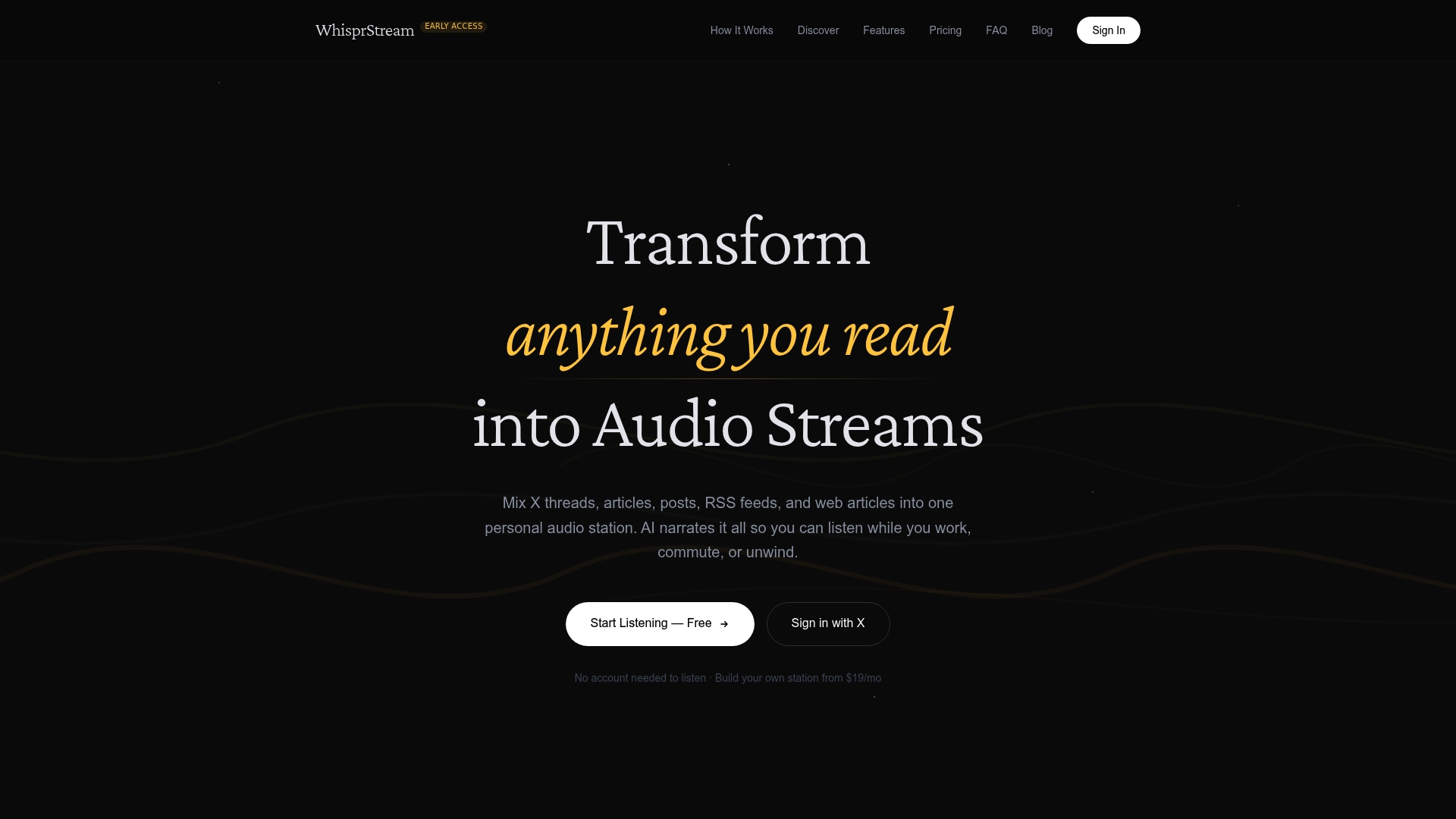
You don’t need to configure APIs, choose audio formats, or think about buffering. Whisprstream handles all of that. What you get is a clean, natural-sounding audio station you can listen to while you walk, drive, or cook. Public stations like the Daily Digest show what a well-curated feed sounds like in practice. Start building your own station at Whisprstream and turn the content you already follow into audio you’ll actually finish.