Natural Sounding Text to Speech: Best AI Voices Guide

What makes text to speech sound truly natural?
Natural sounding text to speech is AI technology that converts written text into spoken audio closely mimicking how a real person talks, complete with realistic emotion, pacing, and intonation. The gap between robotic phoneme stitching and genuinely lifelike narration has closed fast, driven by neural synthesis models that predict how speech should flow, rather than assembling it from pre-recorded fragments.
Three factors determine whether a voice sounds human or mechanical:
- Prosody: the natural rise and fall of pitch across a sentence
- Pacing: realistic timing with micro-pauses that mirror how people breathe while speaking
- Pronunciation: accurate rendering of complex or uncommon words without robotic mispronunciation
When all three work together, the result is narration you can listen to for an hour without fatigue. That quality matters for podcasts, audiobooks, eLearning, and any content where engagement depends on the listener staying focused. Natural AI voices also improve accessibility, giving people with visual impairments or reading difficulties a genuinely pleasant way to consume written content.
Popular natural sounding TTS tools available in the US
Several platforms have raised the bar for AI voice quality, each with a distinct focus:
- NaturalReader: One of the most recognized names in the space, NaturalReader converts documents, PDFs, and web pages into audio using neural voices. It targets students, professionals, and people with dyslexia, offering a browser extension and mobile app alongside its web interface.
- NoteGPT: Combines AI summarization with text to speech, letting you paste long articles or notes and get a condensed, narrated version. Useful for researchers and students who want to absorb information faster without reading every word.
- Adobe Firefly Generate Speech: Offers over 60 voices across 20+ languages with controls for emotion, pacing, and pronunciation. It integrates directly into Adobe Creative Cloud, making it a natural fit for video and podcast producers already in that ecosystem.
- Free browser-based tools powered by Kokoro: Open neural models like Kokoro, hosted on platforms such as FreeTextToSpeech, deliver voices that most listeners cannot distinguish from human narration for everyday content. They support US English voices like Sarah, Bella, and Liam, and they are free to use.
- Enterprise platforms with API access: Tools built on models like Microsoft’s MAI-Voice-2 or similar neural engines serve developers building real-time voice apps, with support for 15+ languages and low-latency generation suited to conversational AI.
Pro Tip: Before committing to any platform, generate a 60-second sample of your actual script. Voice quality varies significantly across content types, and a voice that sounds great on short marketing copy may flatten out over a 10-minute eLearning module.
How to use natural sounding TTS tools effectively
Getting the best output from any TTS platform comes down to how you prepare your text and configure your settings. Follow these steps:
- Write with punctuation as a tool. Commas, semicolons, and line breaks act as prosodic guides for neural models, producing natural breathing patterns and micro-pauses. A sentence without commas often sounds rushed and flat.
- Start at native speed. Generate your first draft at 1.0x speed. Adjust only after you hear where pacing feels off, rather than guessing upfront.
- Choose a voice matched to your content type. Warm, conversational voices work for podcasts and explainers. More neutral, measured voices suit eLearning and documentation.
- Use emotion controls where available. Platforms that support inline audio tags or emotion sliders let you shift tone mid-script, which is especially useful for storytelling or training content with varied emotional beats.
- Preview before exporting. Always listen to a full preview before downloading. Mispronounced proper nouns or brand names are common and easy to fix with a pronunciation editor if caught early.
- Integrate into your workflow. Export audio as WAV or MP3 and drop it directly into your video editor, podcast DAW, or course authoring tool. Many platforms now support in-stream editing so you can revise timing and pitch without regenerating the entire file.
Pro Tip: For long-form content like audiobooks or course modules, break your script into logical chunks of 500–800 words each. Shorter segments are easier to re-generate when you spot an error, and they keep file sizes manageable.
What technical factors actually create a natural sounding voice?
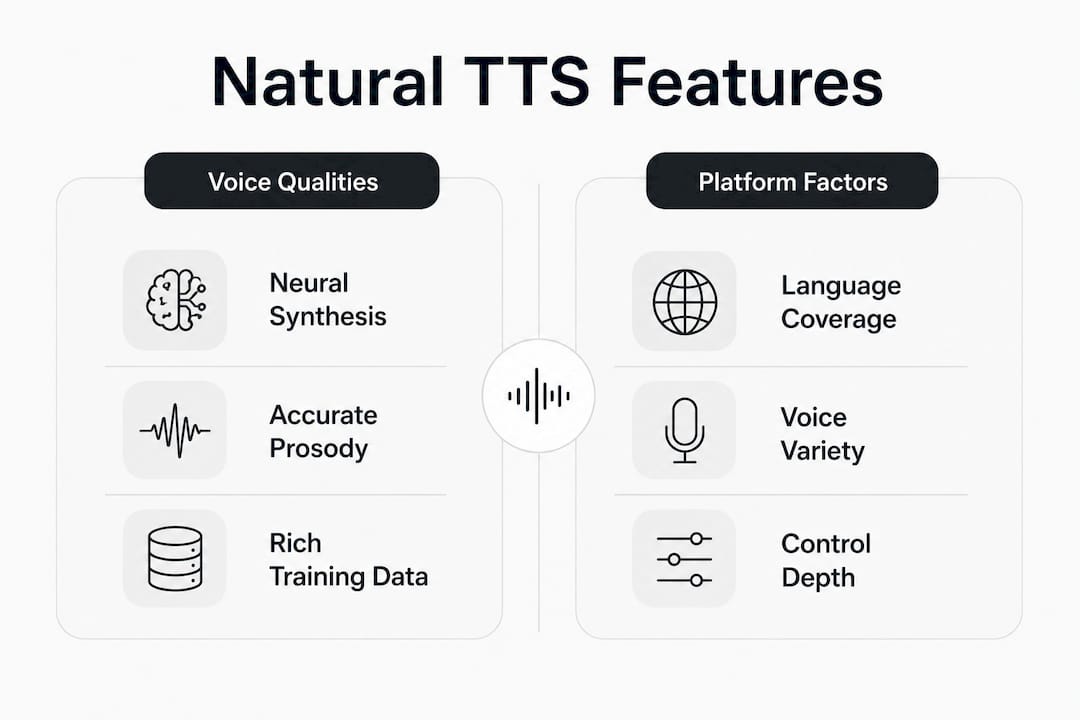
The shift from robotic to lifelike TTS happened when the industry moved from concatenative systems, which stitched together pre-recorded phonemes, to neural synthesis models that predict prosodic features from context. A neural model does not just read words. It understands sentence structure well enough to know where emphasis belongs and where a speaker would naturally slow down.
Training data is the other half of the equation. US English voices tend to sound the most natural because they are trained on the largest and most diverse datasets available. More data means the model has heard more edge cases, unusual names, and conversational rhythms, so it handles them without stumbling.
Advanced platforms go further with inline audio tags. Tags like [whispers], [laughs], and [excited] give creators direct control over emotional delivery, turning a flat narration into something that actually holds attention. This level of expressiveness is what separates a professional-grade voice from a serviceable one.
Pro Tip: If your platform supports SSML (Speech Synthesis Markup Language), use it to set phoneme-level pronunciation for brand names, technical terms, and acronyms. It takes two minutes and eliminates the most common complaint about AI narration.
What’s changing in TTS technology right now?
The pace of improvement in AI voice synthesis has accelerated noticeably. A few trends are reshaping what you can expect from TTS tools in 2026:
- Expressive, multilingual models: Top-tier platforms now offer specialized models for expressive narration, multilingual support, and low-latency real-time applications, each tuned for a different use case rather than a one-size-fits-all approach.
- Low-latency inference: Enterprise-grade models now achieve inference speeds as fast as 75 milliseconds, making real-time conversational AI and live voice applications genuinely practical.
- Pricing accessibility: Professional-quality voice generation is offered at around $22 per 1 million characters, making high-volume content production more accessible for mid-sized teams.
- Shift to editable speech projects: The paradigm is moving from static audio file exports to interactively editable speech projects, where creators adjust timing, pitch, and emotion directly within a content timeline.
- Broader language and accent coverage: Leading AI voice generators now offer dozens of voices across 20+ languages, with regional accents that make narration feel local rather than generic.
How do TTS voices and languages compare?
Voice quality and language coverage vary widely across platforms, and the differences matter depending on your use case.
For US English content, most modern neural platforms deliver voices that are difficult to distinguish from human narration in everyday listening. The variation shows up in edge cases: how a voice handles a long technical passage, an unfamiliar proper noun, or a sentence with an unusual structure.
Language support is a different story. Some platforms cover 20+ languages with full prosody modeling, while others support additional languages at a lower quality tier. Regional accents add another layer. A Spanish voice tuned for Latin America sounds noticeably different from one trained on Castilian Spanish, and that distinction affects how audiences in different markets receive your content.

For most US-based creators, the practical choice comes down to voice character and control depth. A platform with 900+ voices gives you more options to find the right fit, but a platform with 60 carefully curated voices and strong emotion controls often produces better results for specific projects. Matching the voice to the content type, not just the language, is where the real quality difference appears.
What are the real limitations of natural sounding TTS?
Even the best AI voices have consistent weak spots worth knowing before you commit to a workflow.
Long-form consistency is the most common issue. A voice that sounds natural for two minutes can develop subtle rhythm problems over 20 minutes, particularly with dense or technical text. Emotional range is another ceiling. Inline audio tags help, but no current model matches the nuanced delivery a skilled human narrator brings to dramatic or emotionally complex content.
Mispronunciation of proper nouns, brand names, and technical jargon remains a friction point, especially for specialized industries. Most platforms offer pronunciation editors, but they require manual input for every problematic term. Privacy is also a consideration: cloud-based TTS tools process your text on external servers, which matters if your content includes confidential or proprietary information. Always check a platform’s data handling policy before uploading sensitive scripts.
Tips for customizing and fine-tuning your TTS output
Getting a voice to sound exactly right takes more than picking a preset. These adjustments make a real difference:
- Fix pronunciation at the word level. Use your platform’s pronunciation editor or SSML phoneme tags to correct brand names, acronyms, and technical terms before generating the final file.
- Adjust pitch and speed in small increments. A 10% speed reduction often sounds more natural than a 25% one. Subtle changes preserve the voice’s original character better than large shifts.
- Use punctuation to shape intonation. Adding a comma before a key phrase creates a natural beat that draws listener attention. Removing a period and replacing it with a semicolon can smooth a choppy transition between two related ideas.
- Test with real listeners. Play a 60-second clip for someone unfamiliar with your project. If they notice the voice is AI within the first 10 seconds, the settings need adjustment.
- Match voice energy to content density. High-energy voices work well for short marketing content but feel exhausting over a 30-minute course. Choose a voice whose natural register fits the length and tone of your project.
You can also turn web articles into audio and stream them directly, which is a practical way to test how different voice settings hold up across varied content types before committing to a production workflow. For teams exploring AI content repurposing more broadly, the ClipForge blog covers practical strategies for turning written content into audio and video formats.
The future of natural TTS is closer than most people expect
The conventional wisdom in audio production has long been that AI voices are a shortcut, fine for drafts but not for anything that needs to sound polished. That assumption is becoming harder to defend. Neural synthesis has reached a point where the gap between AI narration and human recording is mostly a matter of emotional nuance and context sensitivity, not basic voice quality.
What concerns me more than the technology itself is how quickly the ethical questions are being outpaced by capability. Voice cloning, synthetic media, and AI narration that sounds indistinguishable from a real person create real risks around consent and authenticity. Platforms that build in guardrails, requiring consent before cloning a voice and flagging synthetic audio in published content, are setting a standard the rest of the industry needs to follow.
The opportunity, though, is genuine. For creators, educators, and professionals who want to reach audiences through audio without the cost and logistics of studio recording, natural AI voices are already good enough for most use cases. The tools that will matter most are the ones that combine voice quality with workflow integration, letting you go from text to published audio without friction.
Whisprstream turns your reading list into a personal audio station
If you spend time reading newsletters, X threads, RSS feeds, or long articles, Whisprstream gives you a faster way to absorb all of it. The platform converts your text sources into personalized audio stations with natural AI narration, continuous playback, and no awkward pauses between formats. You connect your sources once, and Whisprstream handles the rest, mixing threads, articles, and posts into a single, cohesive listening experience.
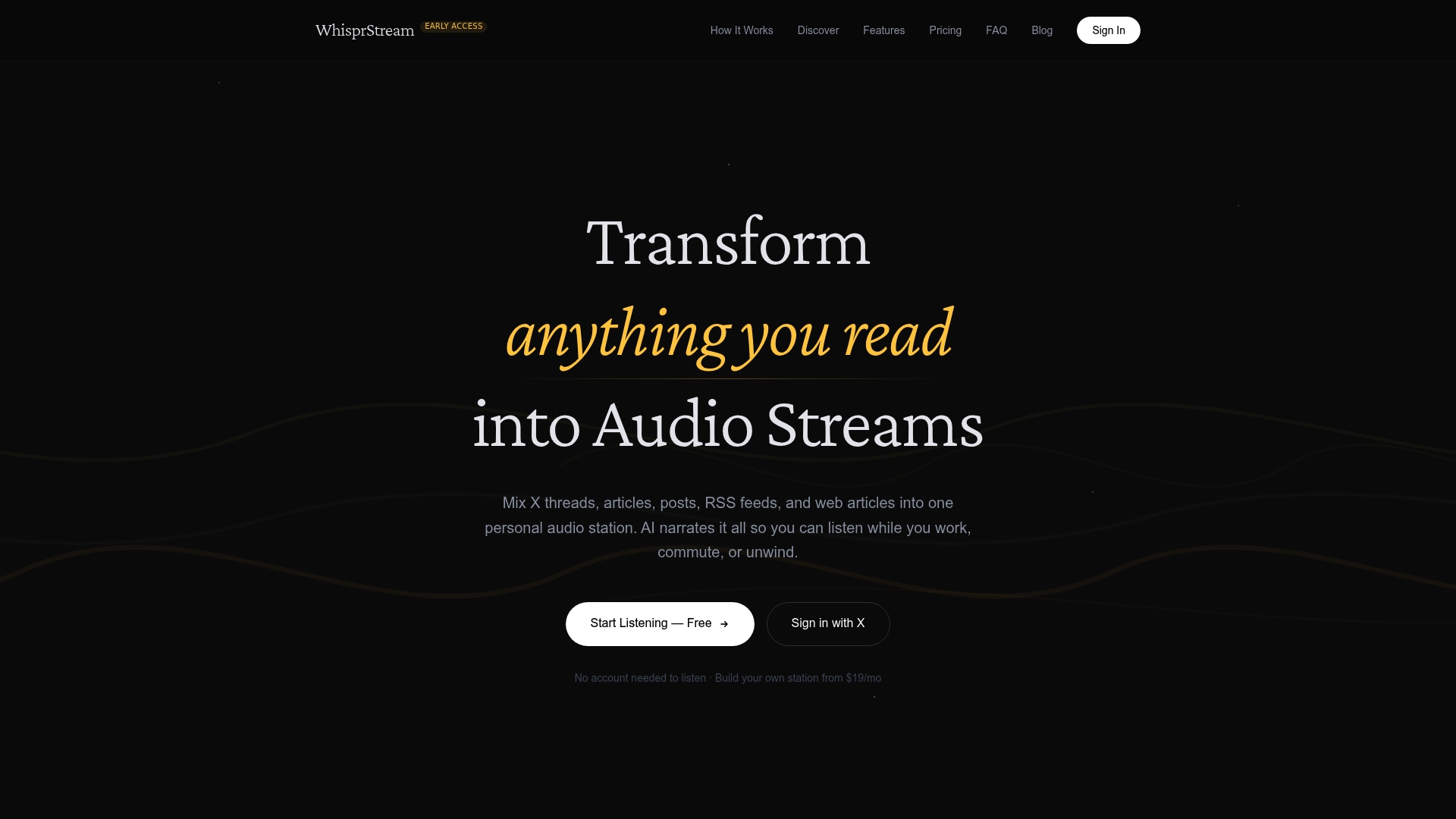
You can customize voice settings, bookmark content for later, and share your stations publicly or keep them private. For busy professionals who want to stay informed while commuting, working out, or cooking, it removes the friction between “I should read this” and actually absorbing it. Whisprstream also integrates with podcast apps via RSS, so your audio station lives wherever you already listen.
Key takeaways
The most natural AI voices combine neural synthesis, accurate prosody, and diverse training data to produce audio that holds listener attention across long-form content.
| Point | Details |
|---|---|
| Three pillars of naturalness | Prosody, pacing, and pronunciation together determine whether a TTS voice sounds human or robotic. |
| Punctuation shapes output | Commas and semicolons act as prosodic cues, guiding neural models to produce natural micro-pauses and breathing patterns. |
| US English leads in quality | US English voices produce the most lifelike results due to the largest and most diverse training datasets available. |
| Enterprise pricing is accessible | Professional-grade voice generation is offered at around $22 per 1 million characters, making high-volume content production more accessible for mid-sized teams. |
| Whisprstream for daily listening | Whisprstream converts articles, threads, and RSS feeds into personalized AI audio stations for continuous, multitask-friendly listening. |