Convert Text to Audiobook: Your On-the-Go Audio Guide

The fastest way to convert text to audiobook streams is to use an AI-powered platform that pulls from multiple sources at once. Instead of converting one file at a time, you connect your RSS feeds, X threads, newsletters, and web articles into a single continuous audio station you can listen to while you commute, cook, or work out. Platforms like Whisprstream handle the heavy lifting: they detect structure, assign natural voices, and deliver playback directly in your favorite podcast app.
Here’s what the best setup looks like:
- Multiple source types supported: X threads, RSS feeds, newsletters, blog posts, and web articles all feed into one station
- AI narration that flows: Neural text-to-speech handles transitions between posts without awkward pauses
- Voice customization: Choose accent, tone, and speaking style to match your listening preferences
- Podcast app integration: Subscribe to AI-narrated stations in Overcast, Apple Podcasts, or Pocket Casts for mobile listening
- Subscription tiers: Free access for casual listening; paid plans unlock HD audio, batch processing, and commercial rights
Table of Contents
- How do you convert social media posts, RSS feeds, and articles into audio?
- How do you choose and customize AI narration voices?
- What do pricing models look like for audiobook creation tools?
- Best practices for continuous, natural-sounding audiobook streams
- What are the copyright rules for converting third-party text?
- How do you edit and improve your audiobook output?
- Can you download audio for offline listening?
- Which conversion tools are the easiest to use?
- Whisprstream turns your reading list into a personal audio station
- Key Takeaways
How do you convert social media posts, RSS feeds, and articles into audio?
The process is simpler than most people expect. You either upload a file or connect a source, and the AI takes it from there.
For document-based content, most tools accept TXT, DOCX, EPUB, and PDF. Uploading a structured DOCX or EPUB is generally better than pasting raw text because the file preserves metadata and chapter markers, which speeds up processing and keeps the narration organized. For a full-length novel, AI audiobook generation typically takes up to half an hour. Shorter articles process in under five minutes.
For live content like social feeds and newsletters, platforms that support multi-source integration let you build a single audio station from several streams at once. You connect your sources, and the platform continuously pulls new content into your station as it publishes.
- Supported file formats: TXT, DOCX, EPUB, PDF
- Live source types: RSS feeds, X threads, newsletters, web article URLs
- Processing time: A few minutes for short posts; up to 30 minutes for full-length books
- Export formats: MP3, WAV, and M4A, compatible with most podcast apps and mobile players
Pro Tip: Use Word’s Heading 1 and Heading 2 styles in your DOCX files. AI tools read those as chapter breaks automatically, saving you manual editing time later.
How do you choose and customize AI narration voices?
Voice quality is where modern text to speech software has made the biggest leap. Neural Text-to-Speech (NTTS) technology analyzes sentence context to preserve natural rhythm and emotional range, so the narration sounds like a person reading, not a robot reciting.
Most platforms let you filter voices by language, accent, and speaking style. Beyond that, you can usually adjust pitch, speed, and word-level emphasis. For content with dialogue, multi-voice casting assigns distinct voices to different characters automatically, which makes the listening experience far more engaging than a single flat narrator.
- Voice filters: Language, accent, gender, speaking style
- Adjustable parameters: Pitch, speed, emphasis, pause length
- Dialogue handling: Automatic character voice assignment for fiction and interview-style content
- Per-chapter review: Regenerate individual sections without redoing the full project
What do pricing models look like for audiobook creation tools?
Most platforms follow a tiered model, and tools like Palmedor AI offer free and subscription-based options suitable for large-scale audiobook production. Free tiers typically limit usage to enough characters per month for short articles or testing voices, suitable for casual use. Heavy users who want continuous streams, HD audio, and commercial usage rights need a paid plan.
The two main pricing structures are pay-per-use and subscription. Pay-per-use works well for occasional projects. Subscriptions make more sense if you’re converting content daily or building a public audio station for an audience.
- Free tier: Limited characters per month, good for casual or trial use
- Premium plans: Batch processing, HD audio output, higher usage limits
- Creator plans: Commercial rights, API access, embeddable players
- Free trials: Many platforms offer no-credit-card sign-ups to test voices before committing
Best practices for continuous, natural-sounding audiobook streams
Getting a great result isn’t just about picking the right tool. How you prepare your content and configure your station matters just as much.
Structure your source files with consistent headings so the AI can detect chapters automatically. For live content stations, mix source types thoughtfully: a station that blends newsletters, X threads, and RSS articles feels more like a curated radio show than a random playlist. Whisprstream’s playlist and bookmarking features let you organize that mix and pick up exactly where you left off.
- Prepare clean source files: Remove ads, footers, and navigation text before uploading
- Use consistent heading styles: Heading 1 for chapters, Heading 2 for sections
- Mix content types: Combine threads, articles, and newsletters into one cohesive station
- Review per chapter: Regenerate any section that sounds off without reprocessing everything
- Enable podcast app sync: Turn your audio station into an RSS feed for hands-free listening on mobile
What are the copyright rules for converting third-party text?
Converting text you did not write raises real legal questions. In the United States, copyright law protects original written works from the moment of creation. Converting someone else’s article, book, or post into audio without permission is generally an infringement, even if you keep the audio private.
Fair use can apply in narrow cases: commentary, criticism, education, and non-commercial personal use sometimes qualify. But fair use is a defense, not a right, and it’s evaluated case by case. For anything you plan to publish or share publicly, get explicit written permission from the rights holder or stick to content that is licensed for reuse, such as Creative Commons works or public domain texts.
RSS feeds and newsletters you subscribe to are not automatically licensed for audio redistribution. When in doubt, use your own original writing or content you have clear rights to.
How do you edit and improve your audiobook output?
AI narration rarely needs zero editing, but the workflow is much lighter than recording from scratch. Most tools let you work chapter by chapter, which keeps the review process manageable.
Listen through each chapter at 1.25x speed to catch mispronunciations, unnatural pauses, or pacing issues. Regenerate only the problem sections rather than the full file. For proper nouns, acronyms, and brand names, use the phonetic spelling or pronunciation editor if your platform offers one. Murf AI, for example, provides word-level emphasis and pause controls that let you fine-tune delivery without re-recording anything.
Export a final draft and listen on the device your audience will actually use, whether that’s earbuds during a run or a car speaker on a commute. What sounds fine on desktop headphones can feel flat on a phone speaker.
Can you download audio for offline listening?
Most paid plans include download options. The standard export formats are MP3 and WAV, both of which play on any device without an internet connection. Some platforms also export M4A, which is optimized for Apple devices and supports chapter markers in apps like Apple Podcasts.
For continuous stations built from live feeds, offline listening usually requires downloading individual episodes or syncing through a podcast app that supports offline caching. Overcast and Pocket Casts both let you download episodes in advance for offline playback, which works well for Whisprstream stations subscribed via RSS.
Which conversion tools are the easiest to use?
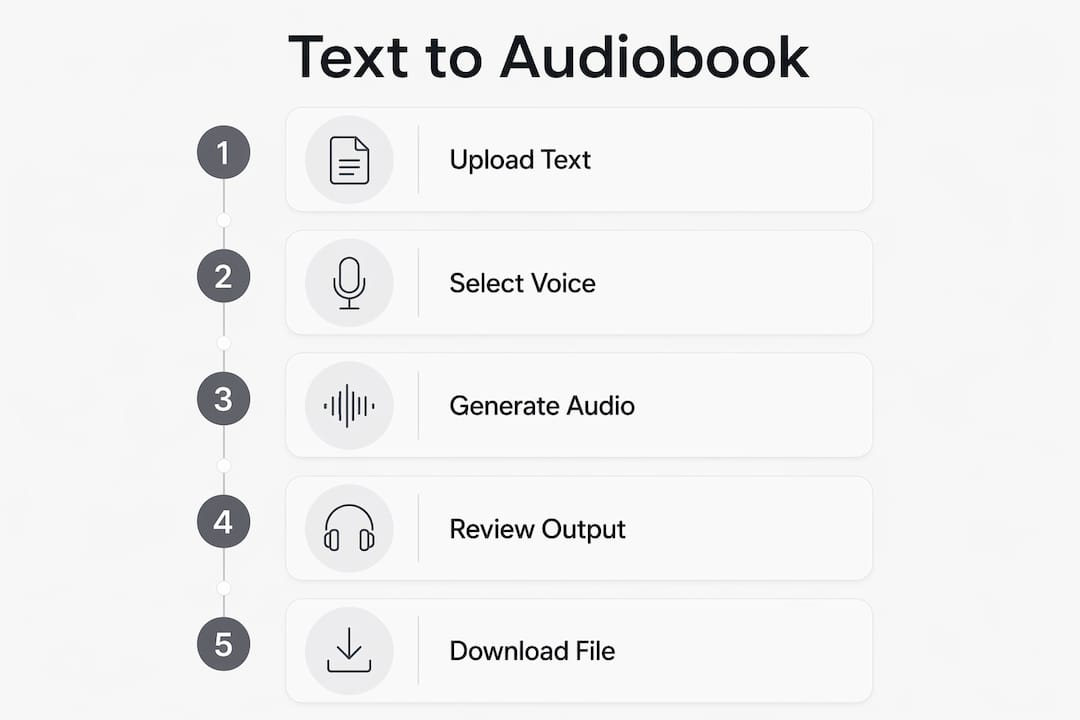
The best audiobook creation tools keep the workflow to three steps: add your content, pick a voice, and generate. Complexity creeps in when platforms bury voice settings in menus or require technical setup before you can hear a single sentence.

Web-based tools with no sign-up required, like those built on open-source models, are the lowest-friction entry point. For ongoing use, a platform with a clean dashboard, saved voice profiles, and automatic content updates saves far more time than a one-off converter. Whisprstream’s interface is built around the station concept: you set up your sources once, and new content flows in automatically, narrated and ready to play.
Pro Tip: Before committing to any platform, run a 500-word sample through the free tier. Listen on your phone, not your laptop. That’s the real test of whether the voice holds up.
Whisprstream turns your reading list into a personal audio station
If you’re pulling content from multiple places every day, managing separate audio files gets old fast. Whisprstream is built for exactly this: connect your X account, paste in RSS feeds, add newsletter URLs, and everything narrates automatically into one continuous station you can share, embed, or subscribe to in any podcast app.
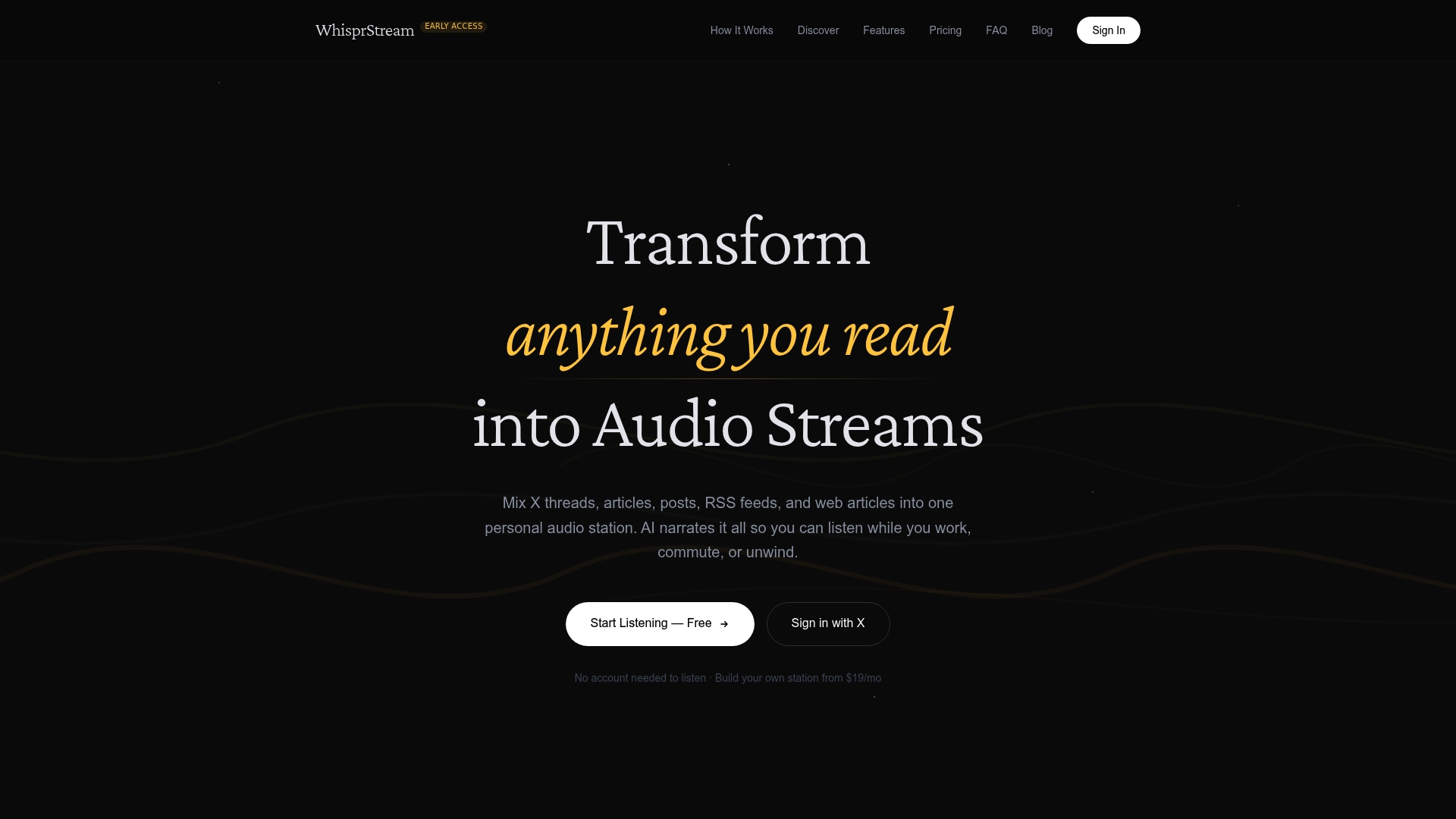
The difference from a standard text to audio converter is the live feed. Your station updates as new content publishes, so you’re never manually uploading files or hunting for the latest episode. HD audio, custom voices, bookmarking, and embeddable players come with the paid plans. The free tier lets you listen to public stations right away, no credit card needed.
Ready to stop reading and start listening? Build your first audio station on Whisprstream and hear your feeds come to life.
Key Takeaways
AI-powered multi-source platforms like Whisprstream are the most efficient way to convert text to audiobook streams for continuous, on-the-go listening.
| Point | Details |
|---|---|
| Processing time by length | Short articles convert in minutes; a full-length novel takes about 15 to 30 minutes with AI generation. |
| Free tier limits | Most platforms cap free use at 5,000 to 10,000 characters per month, enough for casual testing. |
| Copyright matters | You need explicit permission or a reuse license before converting and sharing third-party text as audio. |
| Voice quality | Neural TTS preserves natural rhythm and emotional range, making narration sound like a real reader. |
| Whisprstream advantage | Connect RSS feeds, X threads, and newsletters once; Whisprstream narrates and updates your station automatically. |
Recommended
- Subscribe to AI-Narrated Stations in Overcast, Apple Podcasts, or Pocket Casts – WhisprStream
- I Built a Tool That Turns My X + RSS Into a Daily Audio Station – WhisprStream
- Stop Letting Your Read-Later List Die: Listen Instead – WhisprStream
- How to Turn Web Articles Into Audio You Can Stream Anywhere – WhisprStream